You've got a logo, a launch date, and a rough idea of how many shirts you need. Then the printer asks how many ink colors are in the artwork, whether the shirts are light or dark, and what mesh count to use. Those questions can feel overly technical, but they directly affect your price, print clarity, and how the finished tee feels in your hands.
Screen printing for tee shirts becomes much easier to order once you understand what happens behind the press. The method is not just “putting ink on a shirt.” Your artwork, garment color, ink type, order size, and production setup all work together. This guide explains those decisions in plain language so you can choose a decoration method with confidence.
Table of Contents
- Understanding Screen Printing for Tee Shirts
- The Production Process and Mesh Count Basics
- Order Sizes and Cost Considerations
- Comparing Screen Printing to Other Decoration Methods
- Artwork Requirements and Modern Design Trends
- Choosing a Vendor and Planning Your Timeline
- Frequently Asked Questions About Custom Tees
Understanding Screen Printing for Tee Shirts
A small business owner might start with a simple goal, such as producing branded shirts for a team, selling merchandise at an event, or giving staff a consistent uniform. The artwork may look perfect on a laptop, but the printer still needs to translate that digital file into physical screens, ink layers, and carefully aligned impressions.
The basic idea is similar to using a stencil. A screen holds a tightly woven mesh with blocked and open areas. The open areas form the artwork. A squeegee pushes ink across the screen, and the ink passes through only where the design allows it. Each color is printed separately, so a red logo and a white outline require separate screen setups.
The ink generally sits on top of the fabric rather than disappearing into it. That produces the bold coverage, strong opacity, and vibrant color that make screen printing useful for cotton tees, team apparel, event merchandise, and retail graphics. The result can have a noticeable ink feel, especially when the design uses a heavy deposit or a white underbase.
A craft that became a commercial process
Screen printing has a long lineage reaching back to China's Song dynasty, roughly 960–1279 CE. The technique later spread through Japan and Europe before becoming industrialized for textiles in the twentieth century. In 1907, Samuel Simon patented an early modern process using a cut stencil on a finely woven silk screen. (Screen printing history and process background)
A major change came in 1960, when American entrepreneur Michael Vasilantone developed a rotatable multicolor garment screen-printing machine. The equipment was first used for bowling garments, then quickly shifted toward T-shirts as demand for printed apparel expanded. Faster, repeatable multicolor production helped graphic tees become a mainstream product rather than a niche craft.
Practical rule: If your design depends on bold shapes, strong coverage, and repeatable color across a larger order, screen printing deserves serious consideration.
The method remains important because it gives decorators control over ink deposit and color layering. It works particularly well when a business wants the same logo printed consistently across a run of garments.
The Production Process and Mesh Count Basics
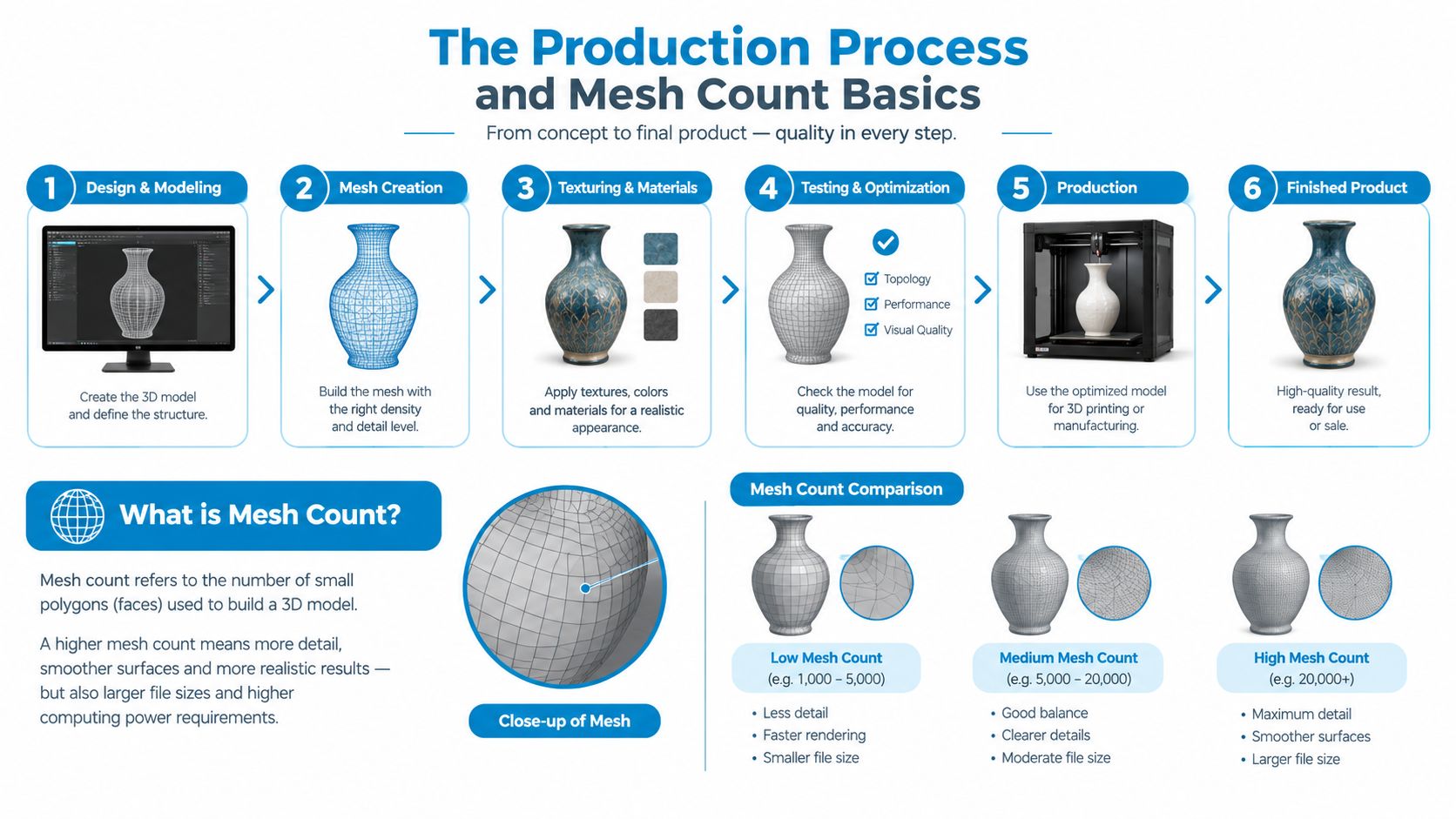
The production line starts well before a shirt reaches the press. A printer first reviews the artwork, separates the colors, and prepares one screen for each color. The screen is coated with emulsion, dried, exposed with the artwork, and washed out so the printable areas remain open. The screen must also be cleaned and degreased during preparation so the emulsion bonds correctly.
Once the screens are ready, the printer mounts them on the press and aligns them for registration. The operator places the garment on a platen, applies ink through one screen, and repeats the process for each color. A print stroke commonly sits around 75–80 degrees, a setting that influences ink shear and deposit consistency. After printing, the garment passes through a dryer, where the ink is typically heat-set around 320°F for wash durability. (Screen printing production and curing guidance)
Mesh count controls the print
Mesh count means the number of threads per inch in the screen. It controls how much ink can pass through and how much detail the stencil can hold.
- Lower mesh counts, such as 110–156, have larger openings. They deposit more ink, which helps create opaque white underbases, bold block graphics, and specialty ink effects.
- Higher mesh counts, such as 200–305 or higher, have smaller openings. They deposit less ink, which helps preserve fine lines, halftones, and thinner water-based ink prints.
- Most garment printers commonly work within 110–160 mesh for standard plastisol printing, while 200–230 mesh is often selected for finer detail or thinner ink deposits. (Garment screen printing mesh count chart)
The cause and effect is straightforward. A low mesh lets more ink through, creating stronger opacity and a heavier film, but excess ink can soften small details. A high mesh improves edge definition and can create a softer print, but it may not deliver enough ink for a bright white print on a dark garment. (Mesh count and ink deposit explanation)
Match the screen to the artwork
A dark tee with a large athletic number and a white underbase usually needs a lower mesh than a fashion graphic built from delicate halftones. The printer may also adjust the ink and curing approach when working with a premium cotton shirt, a cotton blend, or performance fabric.
Registration matters just as much as mesh selection. If a three-color design isn't aligned properly, outlines can shift and small gaps can appear between colors. A useful beginner overview of equipment, preparation, and setup is the Skup beginner guide, especially if you want to understand the physical workflow before requesting a quote.
Under-curing can lead to wash failure. Over-curing may affect the garment or hand-feel. A professional printer therefore treats mesh, ink, fabric, registration, and dryer settings as one production system rather than isolated choices.
Order Sizes and Cost Considerations
Screen printing has a setup-heavy pricing structure. The printer must prepare screens, separate artwork, mix or load inks, register the design, and clean the equipment whether the order is small or large. A larger run spreads that preparation across more garments, which usually makes the per-shirt price more attractive.
The number of colors has a direct effect because screen printing places one color at a time. A one-color logo requires less preparation than a three-color illustration, and a design with several colors requires more screens, registration work, ink handling, and press passes. A printer may also quote separately for additional print locations, specialty inks, premium garments, or artwork preparation.
For a standard cotton tee, one industry guide describes a one- or two-color screen-printed design as potentially falling well under $10 per shirt at quantities of 48 or more, with the per-unit price decreasing as quantity increases. (Custom T-shirt quantity and cost guidance) Treat that as planning guidance rather than a universal quote, because garment choice, print size, locations, and artwork complexity still matter.
Cost Impact of Design Colors and Order Volume
| Order Size | 1-Color Design | 3-Color Design | Best Use Case |
|---|---|---|---|
| Small run | Higher setup impact per shirt | Highest setup impact per shirt | Testing a concept or outfitting a small group |
| Medium run | More efficient per-shirt pricing | Efficient when the artwork needs color depth | Events, teams, and staff apparel |
| Large run | Lowest setup impact per shirt | Cost-effective when the design justifies multiple colors | Retail merchandise, campaigns, and recurring programs |
The table shows the decision more clearly than a single price estimate. If you only need a few shirts, a process with minimal setup may make more sense. If you need a larger quantity, screen printing can become the economical choice, especially when the design is limited to a small number of colors.
Budget insight: Simplifying artwork can reduce production complexity without making the design look cheap. A strong one-color mark often works better on a shirt than a crowded illustration that loses detail at print size.
Before approving a quote, list the garment type, total quantity, print locations, artwork colors, preferred shirt colors, and deadline. Buyers comparing team apparel may also find it useful to review practical considerations involved in picking a football shirt supplier. For a separate breakdown of the variables that affect a screen-printing quote, see this guide to screen printing costs.
Comparing Screen Printing to Other Decoration Methods
Screen printing isn't automatically the right choice for every tee. The strongest decision comes from matching the decoration method to the artwork, garment, quantity, and desired feel.
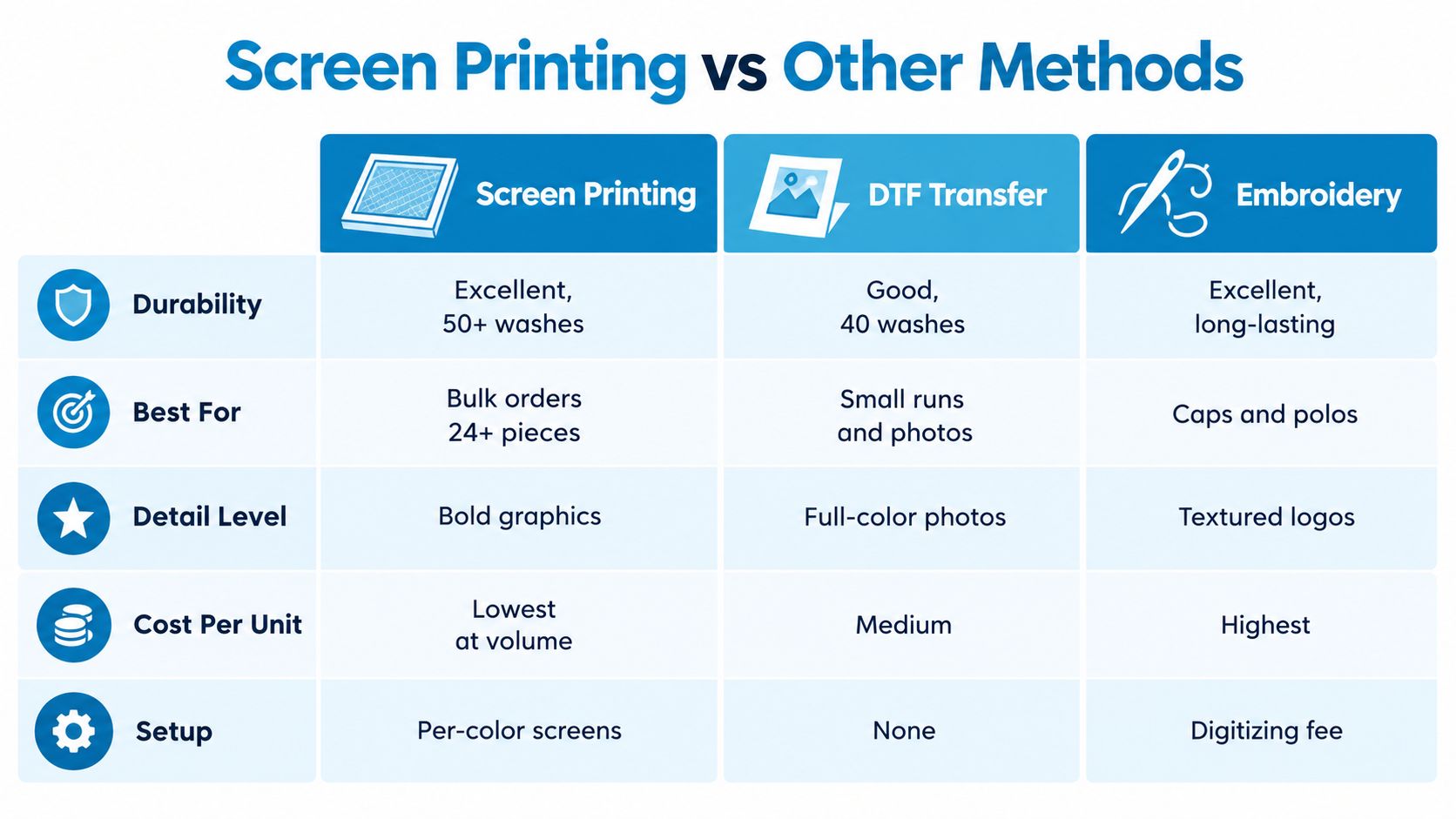
Screen printing is usually a strong fit for bold graphics, repeat orders, and larger runs on cotton or cotton-blend garments. It can create vibrant coverage and durable prints when the ink is properly cured. The tradeoff is setup work for each color and less flexibility when every shirt needs a different design.
Direct-to-film, or DTF, transfers a printed design onto film before heat pressing it onto the garment. This approach is useful for complex full-color artwork, gradients, detailed illustrations, and smaller runs where screen setup would add too much cost or time. The print can have a different surface feel from traditional screen printing, so request a sample if hand-feel is central to your brand.
Embroidery uses thread rather than ink. It works especially well for structured caps, polos, jackets, and corporate logos where a raised, textured finish supports the brand. Very small lettering and highly detailed artwork may need to be simplified before digitizing.
Choose by project requirements
| Requirement | Screen Printing | DTF Transfer | Embroidery |
|---|---|---|---|
| Artwork style | Bold shapes and strong graphic areas | Full-color artwork and photographic detail | Textured logos and compact marks |
| Quantity pattern | Larger repeat orders | Small or mixed-design runs | Small logo programs on polos, hats, and outerwear |
| Surface feel | Ink sits on the fabric | Transfer layer on the garment | Raised thread texture |
| Setup | Screens prepared for each color | Artwork prepared for transfer | Artwork digitized for stitching |
| Main strength | Efficient repeat production | Flexible color and detail | Premium structured appearance |
A business ordering one consistent logo for a larger group may favor screen printing. A retailer testing several full-color illustrations may prefer DTF because the artwork can change from one design to another without creating a separate screen setup for every color combination. A company outfitting sales staff in polos may get a more appropriate result from embroidery.
The garment also changes the decision. A soft fashion tee may call for a thinner-feeling print, while a work shirt may prioritize opacity and rugged coverage. A practical comparison of screen printing and heat transfer can help buyers clarify that choice before they finalize artwork.
Artwork Requirements and Modern Design Trends
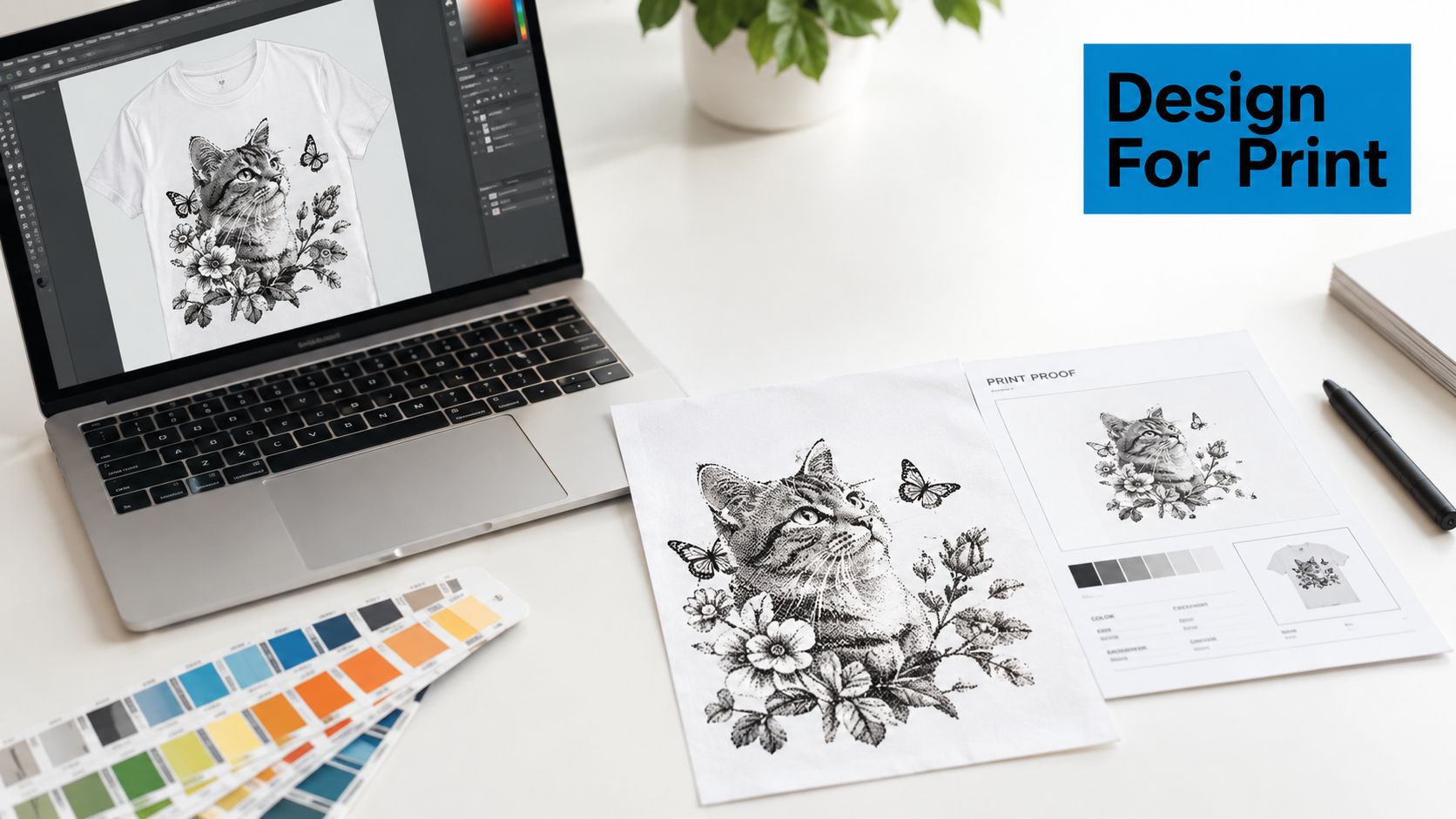
The best screen print starts with artwork that a decorator can separate cleanly. Vector files are usually the safest starting point because they preserve sharp edges when the design is resized. Useful formats may include Adobe Illustrator or an editable PDF, provided the colors and shapes remain accessible for separation.
Raster artwork can work when it has enough resolution, but a flattened image may make color separation difficult. Ask your designer to provide distinct color layers, identify intended print colors, outline or package fonts appropriately, and show the expected placement on the garment. If a logo includes tiny text, narrow gaps, or delicate outlines, request a production review before approving the proof.
Design trends are changing the technical brief
Current 2026 apparel coverage highlights growing interest in hand-drawn textures, oversized back prints, vintage typography, mascot-style illustrations, and smaller logo placements. (2026 printed casual T-shirt design coverage) These styles often feel more wearable than overly polished computer-generated artwork, but they still need careful preparation for screen production.
Hand-drawn texture can create a convincing vintage effect when the distressed areas are intentional and large enough to reproduce. Vintage lettering may need spacing adjustments so fine counters don't fill with ink. Mascot illustrations can work beautifully with a limited color palette, while oversized back prints require careful placement so the design sits naturally across the garment.
Connect visual style to production choices
A clean gradient may need halftone conversion before it can be reproduced through screens. A photo-style graphic may require higher mesh counts and careful separation to hold tonal transitions. A bold two-color illustration may be easier to print, easier to price, and more visually consistent across a run.
Artwork check: Don't ask only whether a design looks good on screen. Ask whether its smallest details, color relationships, and intended texture will survive separation, registration, printing, and curing.
Placement deserves equal attention. A small left-chest logo serves a different purpose from an oversized back print, and a sleeve mark adds another setup consideration. Use a guide to T-shirt design size and placement before sending final files so the printer can evaluate the art at its intended physical scale.
Choosing a Vendor and Planning Your Timeline
A capable decorator should make technical decisions understandable rather than hiding them behind a quote. Start by asking how the shop handles artwork review, color separation, garment sourcing, proof approval, screen setup, quality checks, and reorders.
Use a practical vendor checklist
- Artwork review: Confirm that someone will identify small details, weak separations, and potential registration problems before production.
- Proof approval: Ask to see the proposed colors, placement, and decoration method before the job enters production.
- Garment selection: Check whether the vendor can offer multiple shirt weights, fits, colors, and fabric blends.
- Communication: Establish who answers questions and how quickly you'll receive updates during business hours.
- Reorders: Ask whether approved artwork and production specifications can be retained for future orders.
- Method flexibility: A full-service decorator may also support DTF, embroidery, sublimation, or patches when screen printing isn't the best fit.
Send the vendor the artwork, garment preferences, quantity, print locations, color expectations, and delivery destination in one message. That reduces back-and-forth and gives the production team enough context to recommend the right setup.
Plan around approval points
Delays often happen before the press starts. Artwork may need revision, a garment color may be unavailable, or the buyer may take time to approve a proof. Production can also slow down when a design has several colors, multiple print locations, or unusual placement requirements.
A sensible workflow moves through these stages:
- Project brief: Share the design, quantity, garment preferences, and deadline.
- Artwork review: Let the decorator flag technical risks and confirm the decoration method.
- Proof approval: Check spelling, colors, sizing, placement, and garment choice.
- Production preparation: The shop separates the artwork, prepares screens, sources garments, and schedules the press.
- Quality review and delivery: The team checks the finished order before dispatch.
Build time for decisions, not just printing. If your shirts support an event, launch, fundraiser, or retail release, give the decorator a firm delivery date and an earlier internal approval deadline.
Your apparel partner should also understand the wider project. We do not create business cards or fliers, so keep the vendor conversation focused on garments and decoration when you're ordering custom apparel. A shop that offers different apparel decoration methods can still help keep shirts, polos, hats, bags, and outerwear visually consistent.
Frequently Asked Questions About Custom Tees
Does screen printing work on dark garments?
Yes, but dark garments often need an underbase so lighter inks remain visible. The printer may choose a lower mesh count when the artwork needs heavier opacity, particularly for a white underbase or bold athletic graphic. Your shirt color, ink choice, artwork, and desired hand-feel should be reviewed together rather than treated as separate decisions.
How should I care for printed tees?
Follow the decorator's care instructions, but gentle washing is a sensible starting point. Turn shirts inside out, avoid unnecessarily harsh treatment, and use a drying approach recommended for the garment and ink system. Proper curing during production matters because under-cured ink can fail during washing.
Can I reorder the same design later?
Usually, a reorder is easier when the vendor retains the approved artwork, garment information, print locations, ink specifications, and production notes. Ask how the shop stores those details and whether the same garment style will remain available. If the original shirt is discontinued, request a comparable blank and approve a new proof before production.
Is screen printing suitable for a small order?
It can be, but setup has a greater effect on the per-shirt cost when the quantity is small. DTF may be more practical for a complex design or a short run, while screen printing becomes more attractive when you need repeatable graphics across a larger order. The right answer depends on the number of garments, colors, print locations, and desired finish.
What should I send with my quote request?
Provide the artwork file, garment type, shirt colors, total quantity, print locations, number of artwork colors, and deadline. Mention whether the shirts are for staff, an event, retail sale, or a promotional campaign. Clear information helps the decorator recommend a process that fits both your design and budget.
For businesses, organizations, and event teams, the smartest order starts with a production conversation rather than a guess at the cheapest method. Choose a responsive decorator, approve a clear proof, and make sure your artwork and garment choices support the final feel you want.
Dirt Cheap Product, Inc. offers screen printing for T-shirts along with embroidery, DTF, sublimation, and custom patches across apparel and accessories. Visit Dirt Cheap Product, Inc. to upload your logo, review custom apparel options, and request support for your next branded tee order.