
You need branded apparel for a team, event, retail launch, or recurring merchandise program. The order includes cotton T-shirts, performance polos, and outerwear, but the same logo has to look intentional on every piece. Choosing one decoration method for everything may seem efficient, yet it often creates weak color, poor durability, or an application that doesn't suit the fabric.
Professional buyers should treat the logo as a system, not a single image. The garment, material, decoration method, placement, artwork file, and proof must work together. This guide explains how to put a logo on a shirt without forcing one production process onto every item in the order.
Table of Contents
- Choosing the Right Decoration Method for Mixed Garments
- Preparing Artwork for Professional Production
- Understanding the DTF and Screen Printing Workflows
- Strategic Logo Placement and Sizing Boundaries
- Quality Control and Approving Your Digital Proof
- Partnering with a Custom Branding Specialist
Choosing the Right Decoration Method for Mixed Garments
Mixed-garment procurement is where many apparel programs become unnecessarily expensive. A cotton tee, a moisture-wicking polo, and a structured jacket don't behave the same way under ink, thread, or heat. The right answer depends on the fabric, logo detail, order volume, expected wear, and whether you want a soft retail feel or a highly visible promotional mark.
Screen printing remains the practical choice for bold artwork on cotton T-shirts and other compatible garments. The process uses separate screens for individual colors, so it makes the most sense when the order has enough volume to justify setup and the design uses solid shapes rather than delicate detail. It produces a strong visual result and is particularly effective for event shirts, team apparel, and repeated brand programs.
Embroidery is usually the stronger choice for polos, structured garments, hats, and many outerwear pieces. Thread gives a raised, established appearance, but small lettering and intricate artwork may need simplification. A logo that works perfectly as a printed graphic may need fewer details when converted into stitches.
DTF, or direct-to-film, is the flexible option for full-color artwork, mixed fabrics, smaller production runs, and designs that would require too many screen separations. The transfer is printed onto film, powdered with adhesive, and heat-pressed onto the garment. It can work well on cotton, blends, and dark fabrics, but the result has a different hand-feel from screen printing.
Sublimation belongs mainly on suitable polyester garments and is useful when the design needs color to become part of the fabric rather than sit on top of it. It isn't the universal answer for cotton tees, polos, or outerwear. Fabric composition should be confirmed before it enters the production plan.
| Method | Best Fabric Match | Ideal Order Volume | Design Complexity |
|---|---|---|---|
| Screen printing | Cotton and compatible apparel | Repeated or higher-volume orders | Bold graphics and limited spot colors |
| Embroidery | Polos, hats, jackets, and structured garments | Recurring programs and premium uniforms | Simplified logos and lettering |
| DTF | Cotton, blends, and many dark garments | Small to medium mixed orders | Detailed, full-color artwork |
| Sublimation | Suitable polyester garments | Programmed apparel runs | Full-color designs integrated into the fabric |
Recent guidance distinguishes these methods by fabric, order size, and design complexity, while 2026 decoration trends point toward mixed-media programs rather than one process for every garment, as discussed in this guide to printing a company logo on products. For a deeper comparison before selecting transfers or screen printing, review this screen printing versus heat transfer comparison.
Procurement rule: Keep the logo artwork consistent, but don't assume the application method must be identical across every garment.
A strong mixed-garment program may use screen printing on tees, embroidery on polos and jackets, and DTF on a detailed special-edition piece. The brand stays consistent through approved colors, spacing, placement logic, and artwork control. That is more professional than using one method badly on every item.
Preparing Artwork for Professional Production
A logo can look sharp on a laptop and fail immediately on fabric. Screen printing and garment decoration expose problems that disappear on a bright digital display, including hairline strokes, crowded lettering, weak contrast, and color transitions that don't separate cleanly.
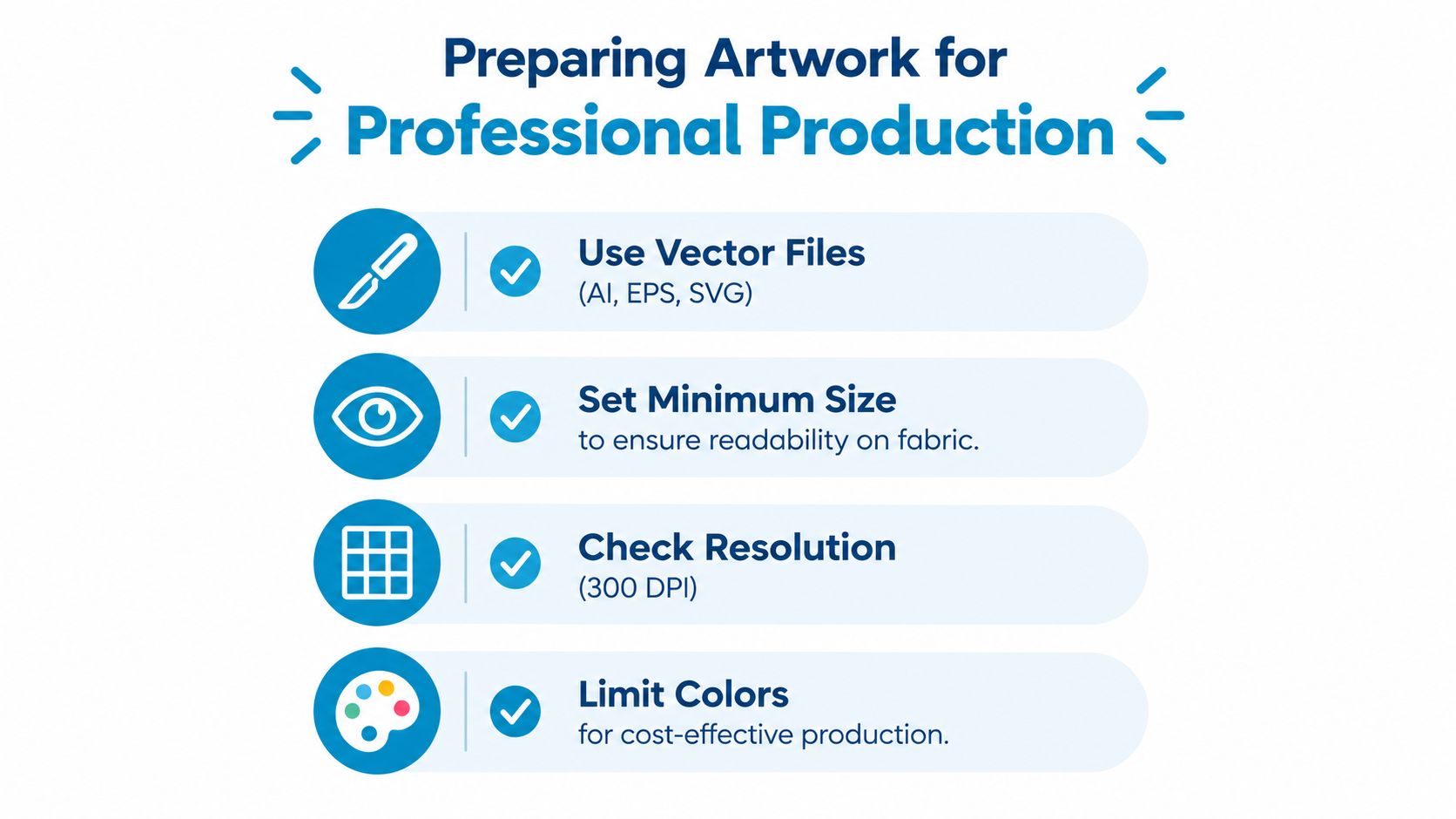
Start with a vector file whenever possible. AI, EPS, and SVG artwork can scale without becoming pixelated. If a vector file isn't available, prepare a raster file at 300 DPI in CMYK, then convert all text to outlines before production. Outlined text prevents font substitutions and gives the decorator predictable shapes for separation.
Build the file around the decoration method
Screen printing typically uses 1–6 spot colors, and Pantone matching is available when color accuracy matters, according to this screen-printing artwork guide. Each color can require its own screen and production setup, so unnecessary colors increase complexity. Gradients, tiny gaps, and hairline strokes often break down after ink spread and laundering.
The same guide identifies about 6 pt as a minimum readable type size and 1 pt as a minimum stroke weight for standard screen-print work. Treat those as production boundaries, not suggestions. If a logo contains small legal text, fine outlines, or detailed icons, create a simplified apparel version rather than shrinking the original mark until it becomes illegible.
Dark garments often need a white underbase beneath the top colors so the printed hues remain faithful to the artwork. That requirement affects separations, ink coverage, and the final hand-feel. Your proof should show the intended garment color and the actual decoration approach, not just the logo floating on a white artboard.
Confirm ownership before production
Print quality doesn't establish permission. If your team didn't create the artwork, confirm that it has the right to be reproduced and distributed on merchandise. Copyright protects the right to reproduce and distribute creative work, while trademarks protect brand identifiers, so a downloaded or traced image can still be unauthorized even if it is technically printable, as explained in this copyright and trademark printing guide.
Before sending files, verify:
- The master file: Keep one approved vector logo and controlled apparel variations.
- The color version: Supply the intended spot colors or Pantone references where required.
- The small version: Simplify detail instead of reducing the full logo beyond legibility.
- The rights: Confirm permission for commercial reproduction and distribution.
- The placement: Specify the garment, print area, and decoration method with the file.
If your team needs to refine paths, convert type, or simplify shapes, use a disciplined vector workflow. This guide to making logos in Illustrator is useful for preparing artwork that a decorator can separate and scale reliably.
Understanding the DTF and Screen Printing Workflows
Screen printing starts with production artwork separated by color. Each color is assigned to a mesh screen, the garment is loaded onto a platen, and ink is pushed through the open stencil areas with a squeegee. The printed shirt then passes through a dryer so the ink cures and locks into the fabric.
A dark shirt often needs a white underbase before the visible colors. Without that foundation, the garment color can alter the appearance of the top inks. Registration also matters because even a small shift between screens can create color fringing or gaps.
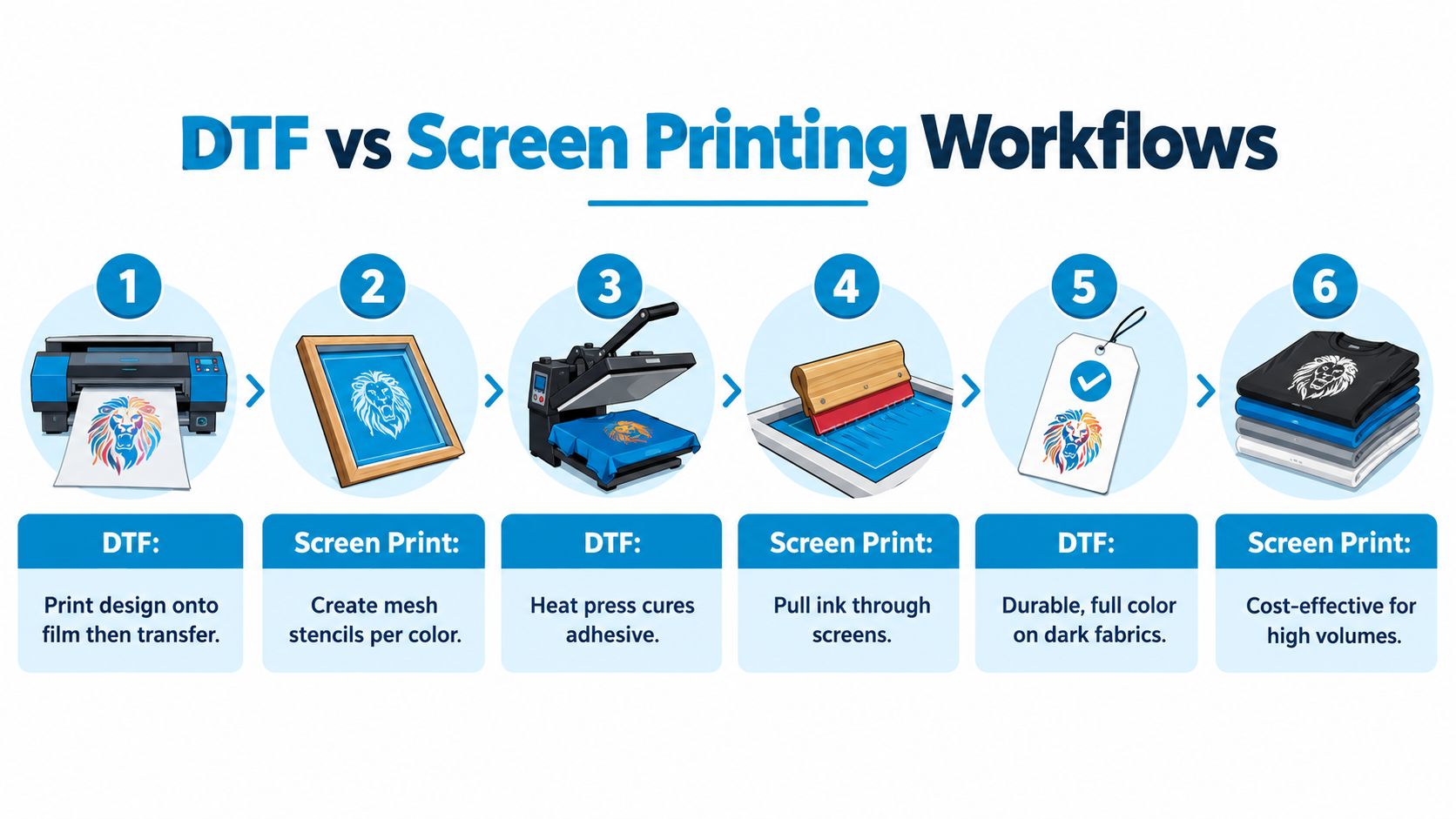
The setup makes screen printing particularly effective for bold, repeatable artwork and larger runs. It becomes less convenient when every garment has different artwork, when the design contains many colors, or when the order includes only a small number of pieces.
DTF reduces setup friction
DTF uses a different sequence. The design is printed onto PET film in a CMYK plus white workflow, adhesive powder is applied, and the prepared transfer is heat-pressed onto the garment. The decorator doesn't create a separate mesh screen for every visible color, which makes DTF useful for detailed artwork and mixed orders.
Published application settings commonly cluster around 130–160°C for 12–15 seconds at medium to firm pressure, with a 2–5 second pre-press used to remove moisture and flatten the fabric, according to this DTF transfer film technical guide. Correct application and care can produce durability around 50–60 wash cycles. The recommended care includes waiting about 24 hours before the first wash, washing the garment inside out at about 40°C or below, and avoiding rushed peeling during application.
Poor adhesion, lifted edges, and peeling usually point to an application problem rather than a logo problem. Fabric moisture, pressure, temperature, dwell time, and peel timing all deserve attention. For a practical overview of the method, see this DTF printing guide for T-shirts.
The workflows are different, but the buyer's responsibility is the same: provide production-ready artwork, identify the garment clearly, and approve a proof that reflects the actual process.
Strategic Logo Placement and Sizing Boundaries
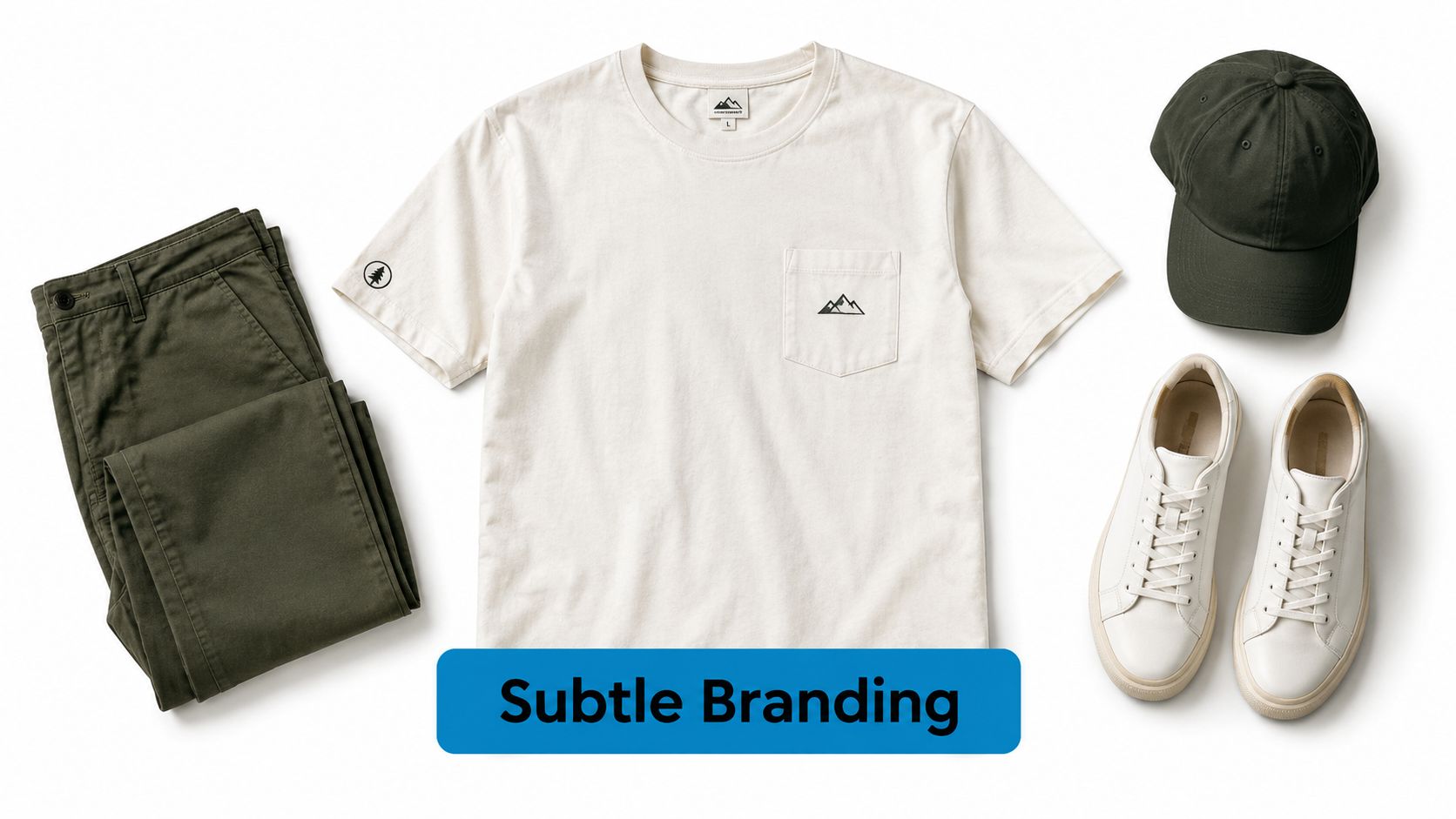
A logo that looks right on a cotton tee can fail on a polo or outerwear panel. Treat placement as a procurement standard, not a final decoration choice. A large center-chest mark suits event apparel, while a smaller left-chest logo usually gives uniforms and branded workwear a more retail-ready finish. A bold back graphic can carry the identity without overcrowding the front.
In 2026, custom apparel guides report a shift toward smaller left-chest marks, tone-on-tone embroidery, and bold back graphics instead of one oversized front logo, according to this 2026 custom apparel trends guide. Use the trend as a reference, not as a reason to change a logo system that must work across cotton tees, polos, and jackets.
Use defined placement windows
A 2026 apparel design guide recommends keeping general shirt artwork within a 4 inch by 4 inch boundary, with short-sleeve graphics fitting within a 3.5 inch by 3.5 inch area centered on the sleeve, as outlined in this shirt design sizing guide. Set these limits in the purchase specification so artwork stays clear of seams, sleeve edges, and curved panels.
- Left chest: Use for uniforms, polos, and understated merchandise. Simplify fine details before embroidery or compact printing.
- Center chest: Use when visibility matters, but scale the mark to the garment and audience.
- Upper back: Pair with a smaller front mark when the artwork needs more room.
- Sleeve: Reserve for secondary marks, locations, departments, or event identifiers.
- Tone-on-tone placement: Choose it for a quieter premium finish on merchandise and outerwear.
For center-chest printing, production benchmarks commonly place artwork about 2–3 inches below the collar. A left-chest logo is commonly positioned about 4 inches down and 4 inches from center, subject to garment style and size, as detailed in this professional T-shirt printing guide. Confirm those measurements against the actual size range, since a placement that works on a medium can look too high or too low on larger garments.
Desktop mockups do not account for pockets, collars, seams, zippers, or curved panels. Use realistic AI fashion photography to compare mixed garment combinations before sampling, then rely on physical samples for the final decision.
Create one placement standard for each garment category. Keep the logo recognizable, but allow size, decoration method, and position to change where garment construction or artwork detail requires it.
Quality Control and Approving Your Digital Proof
A polished mockup can still produce a poor garment. Before approving the proof, compare it with the actual product, decoration method, artwork master, and production notes. Treat the proof as a manufacturing instruction, not a design presentation.
Check every garment category in the order. Confirm the exact style, color, fabric, size range, and construction details, including pockets, seams, collars, zippers, and panels. A logo approved for a cotton tee may need a different application or position on a polo or outerwear piece. Keep the brand system consistent, while allowing the production treatment to fit each garment.
Inspect the artwork details
Compare the proof with the approved master file. Look for missing text, changed proportions, substituted colors, blurred edges, and fine details that disappear at production size. For screen printing, confirm the intended spot colors, the ink sequence, and whether an underbase is required for dark garments. For embroidery, check stitch density, thread colors, and whether small lettering remains readable.
For general production context, review this T-shirt production guide. Registration problems show as color fringing or gaps where separate colors fail to align. Ask the decorator how registration will be checked, what tolerance the process allows, and how that tolerance applies to the selected garment. A digital composite shows the intended result, not a guarantee that the physical print will have perfect alignment.
Confirm position before signing off
Use the approved placement specification rather than judging the mockup by eye. Check that the logo clears seams, pockets, collars, zippers, and curved panels across the full size range. Ask for separate proof views when tees, polos, and jackets use different construction or decoration methods.
Your approval checklist should include:
- Garment match: The proof shows the exact style and color being ordered.
- Scale: The logo fits the decoration area without crowding seams or hardware.
- Color: Approved colors and any Pantone references are identified.
- Registration: Separate colors appear aligned, with no visible fringing or gaps.
- Text: Small wording remains readable at its actual production size.
- Care: Wash instructions and application expectations match the selected decoration.
Require a physical sample for mixed garment orders, unusual materials, or high-visibility branding. Check hand-feel, contrast, thread density, ink coverage, and placement behavior before approving the full run. Record the final proof and sample approval for consistent reorders.
Partnering with a Custom Branding Specialist
A reliable apparel program needs more than a good logo file. Your decorator should help match the application to the garment, identify artwork risks before production, issue a clear proof, and communicate when a requested treatment won't translate cleanly.
Look for a partner that can support several decoration routes under one brand system. Screen printing may suit cotton tees, embroidery may suit polos and outerwear, and DTF may solve detailed artwork on mixed garments. A capable production team should explain those trade-offs instead of forcing every item through the same workflow.
Evaluate the working relationship
Ask practical questions before placing the order:
- Can the team handle mixed garments? Confirm that tees, polos, outerwear, hats, and bags can be coordinated under one logo program.
- Who reviews artwork? You need a person who can flag thin strokes, crowded text, weak contrast, and unsuitable file formats.
- How does proofing work? Request clear placement, color, size, and decoration details before approval.
- What happens with reorders? A controlled artwork record helps later orders match the original program.
- Does the catalog fit the use case? Uniforms, retail merchandise, and event apparel need different garment and decoration decisions.
- Is communication responsive? A delayed answer can hold up garment selection, proof approval, and production.
Dirt Cheap Product, Inc. provides screen printing, embroidery, DTF, sublimation, and custom patches across garments including T-shirts, polos, sweaters, outerwear, hats, and bags. Its team supports logo uploads, artwork refinement, proofing, and wholesale apparel sourcing for business, retail, event, and promotional programs.
You don't need business cards or fliers to build a coherent branding program. Focus the budget on garments people will wear, artwork that survives production constraints, and a partner that documents the approved specifications for future orders.
When you know how to put a logo on a shirt professionally, you stop treating decoration as a last-minute customization. You build a repeatable system that protects brand consistency across fabric types, garment categories, and future reorders.
Visit Dirt Cheap Product, Inc. to compare screen printing, embroidery, DTF, sublimation, and custom patches for your garment program. Upload your logo, request a production proof, and get help matching the artwork and application to your T-shirts, polos, outerwear, or event apparel.