You've got an event coming up. The shirts need to look professional. Someone on your team says, “Can't we just make something in Canva tonight and send it to the printer tomorrow?”
That's where a lot of small business owners get stuck.
The design itself might be simple. A logo, a slogan, a date, maybe a back print for staff or volunteers. The confusing part isn't always the creative side. It's knowing why one file prints cleanly on a shirt and another comes back blurry, off-color, or awkwardly placed. That's why beginning graphic design for merch feels harder than it should.
Most beginner advice stays too general. It talks about balance, color, and fonts, but skips the production choices that matter most when you're designing for real products. One beginner pain point is exactly that gap: choosing the right output settings, file type, and color mode for print instead of digital use, especially for apparel and promo items, as noted in this production-focused beginner discussion.
If you need your first shirt design to work in practice, not just on your laptop screen, you're in the right place.
Table of Contents
- Your First Step into Graphic Design
- The Core Principles of Design for Apparel
- Choosing Your Colors and Typography
- A Practical Design Workflow and Software Guide
- Preparing Your Design File for Printing
- Your First Design Projects and Exercises
- Conclusion and Your Next Steps for Growth
Your First Step into Graphic Design
A common first project looks like this. You need shirts for a school fundraiser, company picnic, church event, or trade show. You already know what you want the shirt to say. You may even have a logo. What you don't know is how to turn that idea into a design that looks intentional instead of rushed.
Beginning graphic design starts with one mindset shift. You are not trying to become a fine artist overnight. You are trying to communicate clearly on a physical product.
That's good news, because clear communication is learnable.
A strong first shirt design usually does a few simple things well. It makes the main message easy to read. It gives the logo enough room to breathe. It fits the audience. A youth camp shirt can be playful. A staff uniform should feel cleaner and more restrained. A charity walk tee needs to be readable from several feet away.
Practical rule: If someone can't understand the design in a quick glance, simplify before you decorate.
Many beginners assume the hardest part is “being creative.” Often it's not. The harder part is making decisions that work in production. That's why people who are ordering small runs of merch often benefit from browsing examples of custom apparel with no minimum before they start designing. You begin to notice what works on shirts, hoodies, hats, and tote bags.
Here's the encouraging part. You don't need a giant skill set to make your first design better. You need a small set of habits you can repeat. Good layout. Careful font choice. Limited colors. Proper file prep. Those choices solve more beginner problems than flashy effects ever will.
The Core Principles of Design for Apparel
Clothing is unforgiving. A design that feels acceptable on a screen can look cheap on a shirt in seconds. Fabric texture, print size, garment color, and viewing distance all change how people see your design.
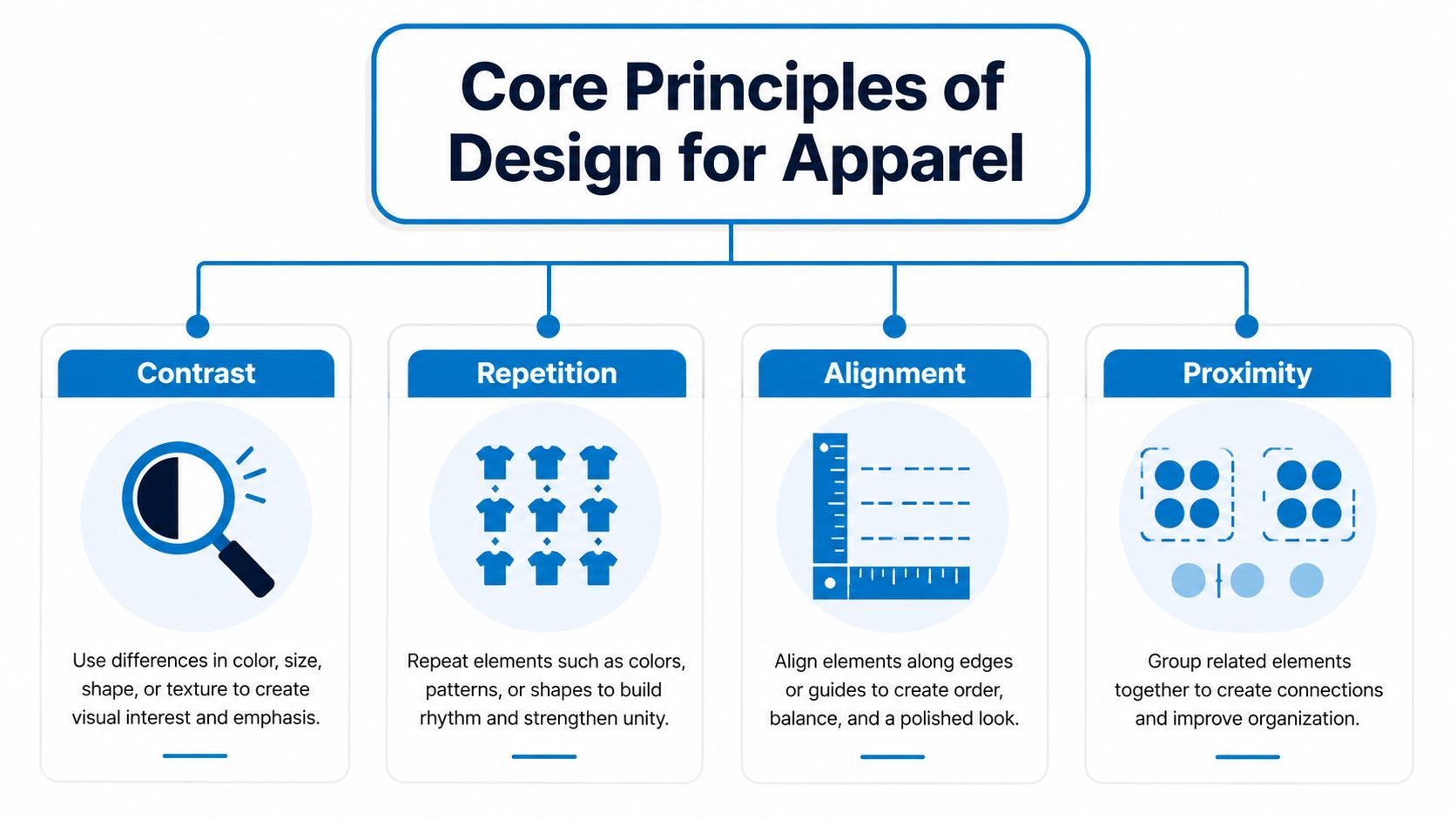
That's why four basic principles help so much: contrast, repetition, alignment, and proximity.
Why shirts expose weak design fast
On a website, a viewer can zoom in. On a shirt, they won't. They see the design at a distance, on a moving person, in uneven light. That means your layout has to do its job quickly.
A useful test is to imagine the same artwork on a dark hoodie, a cap, and a tote bag. If the message disappears, drifts, or feels crowded, the problem is usually one of these four principles.
- Contrast helps key elements stand out. Light ink on a dark garment usually reads more clearly than low-contrast color combinations.
- Repetition creates unity. Reusing a shape, line style, or font treatment makes the design feel planned.
- Alignment gives the piece structure. Even playful designs need elements that line up intentionally.
- Proximity shows what belongs together. If the event name, date, and location are scattered, the viewer has to work too hard.
A simple before-and-after way to judge a layout
Think about a front-of-shirt design for a company volunteer day.
Before: the company name is curved at the top, the event title is in a script font, the date is tiny, and a clip-art icon floats off to one side. Nothing lines up. The viewer doesn't know where to look first.
After: the event title becomes the largest element. The company name sits above it in a smaller supporting size. The icon is centered. The date moves underneath as one grouped line. Now the shirt reads in a clean sequence.
That's contrast and proximity working together.
Now take a cap design. A beginner often tries to squeeze too much onto the front panel. Cap embroidery usually rewards simpler forms. A short wordmark or a bold icon tends to perform better than a tiny detailed illustration. Alignment matters more here because the printable area is smaller and any awkward spacing becomes obvious.
Good apparel design feels edited. It doesn't try to prove how many ideas you had.
A quick review table can help while you're designing:
| Principle | Weak version on apparel | Strong version on apparel |
|---|---|---|
| Contrast | Similar shirt and ink colors | Clear separation between garment and artwork |
| Repetition | Random mix of styles | Repeated shapes, font logic, or line weight |
| Alignment | Elements feel scattered | Elements share a center line or edge |
| Proximity | Related info sits far apart | Related info is grouped tightly |
When you're new to beginning graphic design, don't try to master everything at once. Start by asking three questions every time you build a layout:
- What should people notice first
- What information belongs together
- What can I remove without hurting the message
If you can answer those well, your merch will already look more professional than most rushed first attempts.
Choosing Your Colors and Typography
A first shirt design often looks great on a laptop and disappointing on the actual garment. The blue feels muddier. The small text disappears. The cool script font that looked polished on screen turns into a blur on fabric.
That gap between screen and product is where beginners usually get tripped up.
Color and typography carry the message on apparel, but they also have to survive printing, stitching, washing, and distance. A flyer gets read from a hand. A T-shirt gets read from across a room. That changes how you choose.
Color choices that survive the move from screen to shirt
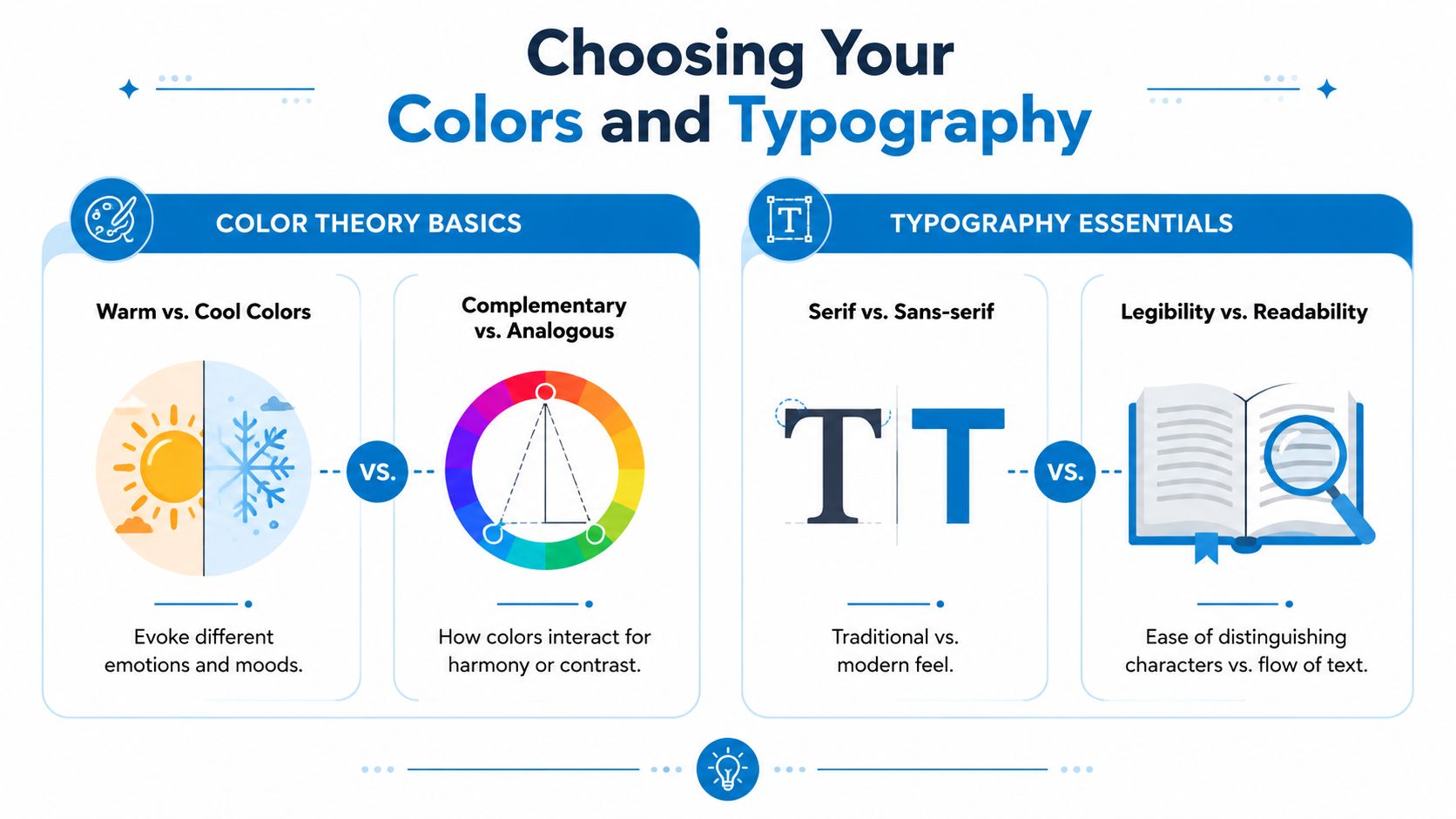
Start with the garment, not the artwork. The shirt color is your background, and on physical products the background is never neutral. A white print on a black tee feels sharp and high-contrast. The same art on a heather gray shirt may feel softer and less clear.
Beginners often pick colors in isolation, then drop them onto the shirt later. That is like choosing paint chips without checking the wall they will sit on. You get better results when you decide, from the start, "This design is for a navy hoodie" or "This logo has to work on a red staff shirt."
A simple color plan usually prints better and reads faster:
- Choose the garment color first. It affects every other decision.
- Limit the palette early. Fewer colors are easier to control and usually easier to read.
- Use one main color and one supporting color. Add a third only if it helps separate information.
- Test the design small. If the artwork gets muddy at thumbnail size, it will struggle on a moving person.
Production method matters too. Screen printing, direct-to-garment printing, heat transfer, and embroidery each handle color differently. Embroidery is the clearest example. Thread has its own sheen, thickness, and limits, so subtle blends often disappear. If you are comparing options for stitched designs, this guide to embroidery thread colors helps show why thread should be chosen more like materials than pixels.
A good beginner question is simple: will these colors still read clearly on the actual item, under normal light, from several feet away?
Fonts that look good on fabric
Type on apparel needs more muscle than type on a screen. Fabric texture, ink spread, and stitching can all soften edges. Thin fonts, tight spacing, and ornate details usually lose that fight.
For a first shirt, build your typography like a storefront sign. The main message should be readable fast. Supporting details can be smaller, but they still need enough space to breathe.
A practical setup looks like this:
- Pick one sturdy headline font for the main message.
- Add one quieter secondary font for details such as a date, location, or team name.
- Skip extra styles that do not help the message.
- Open up the spacing slightly if the letters feel cramped, especially for print and embroidery.
Here is the rule behind that advice. Apparel design rewards clarity over novelty. A font that feels a little plain on screen often looks excellent once it is printed large on a shirt. A font that feels exciting because of swashes, rough texture, or narrow strokes often creates trouble in production.
| Choice | Usually safer for apparel | Riskier for beginners |
|---|---|---|
| Main headline | Bold sans-serif | Thin script |
| Small support text | Clean sans-serif or simple serif | Condensed decorative font |
| Embroidery text | Short, sturdy lettering | Tiny detailed type |
| Texture | Minimal distressing | Heavy distressed effects that hurt legibility |
Font files can create confusion too, especially when you are handing artwork to a printer or decorator. If you want a plain-English explanation of file types and licensing basics, read Font Checker Pro's font format guide.
Quick check: If someone has to squint, step closer, or ask what the shirt says, simplify the type or strengthen the contrast.
A strong beginner rule is this: choose colors for readability first, then brand personality. Choose fonts for durability first, then style. On physical products, that order saves money, avoids rework, and gives you a design that still looks good after it leaves the screen.
A Practical Design Workflow and Software Guide
Beginners often jump straight into software. They open a blank canvas, try random layouts, then keep tweaking until the design feels “done.” That usually creates more confusion, not less.
A better approach is to work in stages.
The workflow that keeps beginners out of trouble
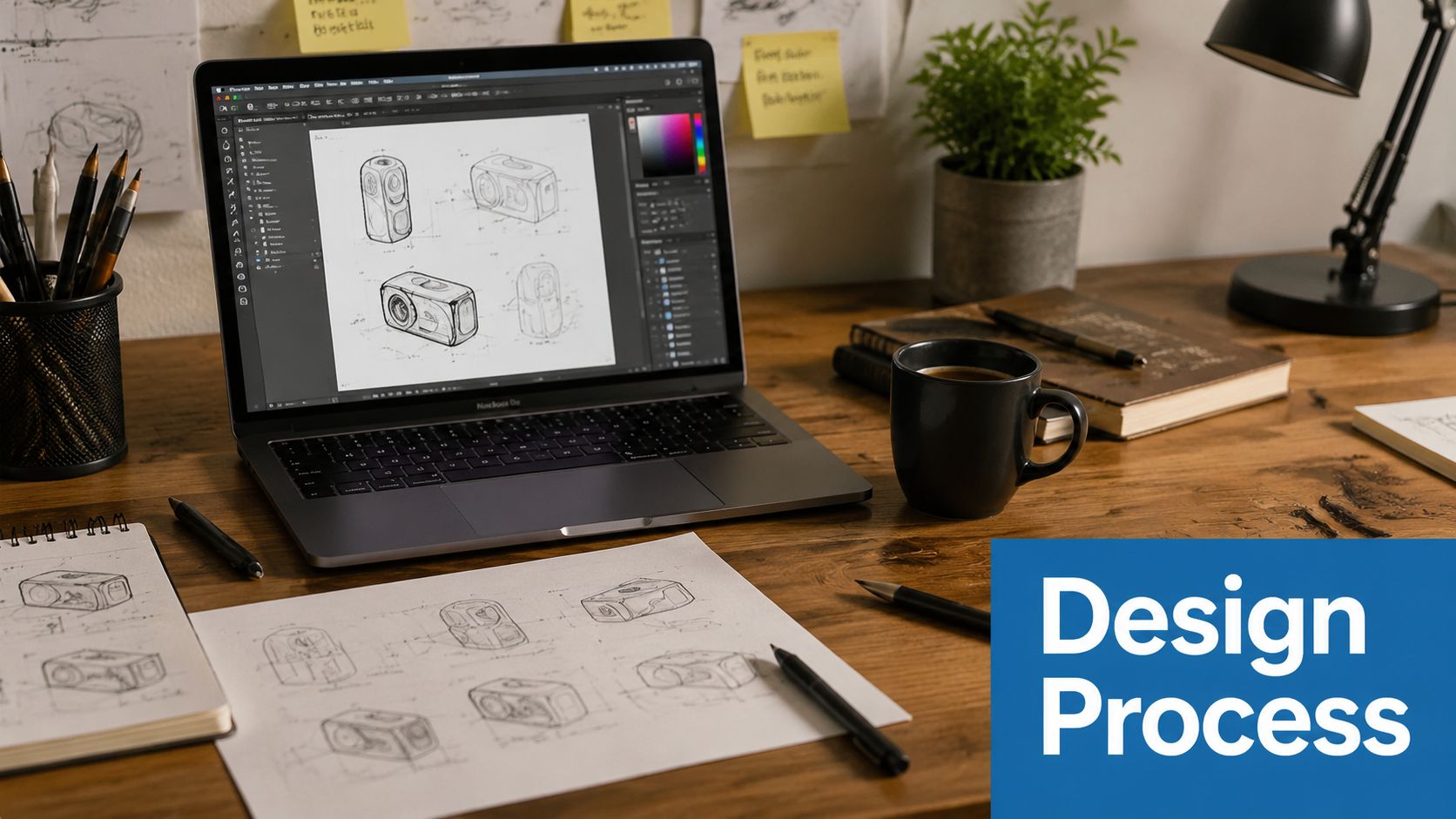
A repeatable process makes beginning graphic design much less intimidating. Expert guidance recommends moving from brief to research, sketching, mockups, and then final digital execution, because that process increases the likelihood that the final concept matches the brand objective, as outlined in this design workflow reference.
Here's what that looks like for a first T-shirt project.
1. Write a short brief
Keep it plain. What is this item for. Who will wear it. What message matters most. What decoration method is likely. A trade show staff shirt has different needs than a band tee or a school club fundraiser shirt.
2. Collect visual references
Don't copy. Just look for patterns. Do you want the design to feel bold, minimal, vintage, sporty, or retail-inspired? Save a few examples that match the mood.
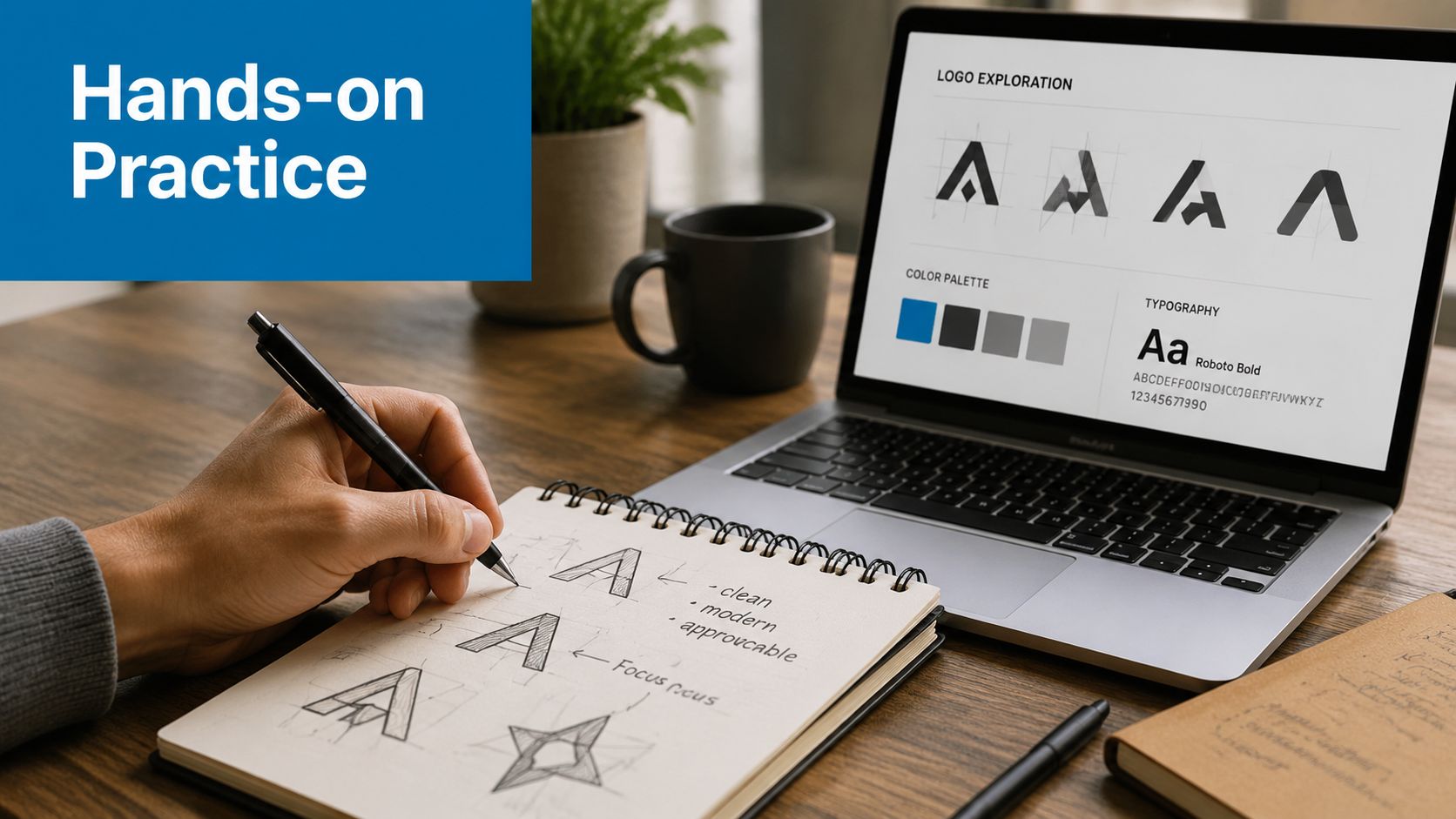
3. Sketch rough concepts on paper
Boxes, circles, words, arrows. That's enough. You are deciding hierarchy and placement, not making art.
4. Build one or two digital mockups
Put your best ideas on a shirt template or simple garment preview. Seeing the design on an actual product shape changes your judgment quickly.
A rough sketch can solve a layout problem faster than another hour of clicking around in software.
To see another designer's process in action, this walkthrough is worth a watch:
Which software makes sense for your first merch project
You don't need the most expensive tool to start. You need software that matches the kind of artwork you're creating.
If your design is mostly logos, shapes, and text, a vector-based tool is the best fit. Vector artwork scales cleanly and is usually easier to prepare for production than pixel-based artwork. That matters for shirt fronts, sleeve prints, and logo placements across multiple garment sizes.
Here's a simple way to think about your options:
- Adobe Illustrator works well for logos, text layouts, and print-ready vector art.
- Canva can help with concepting and quick mockups, but you need to be careful about export quality and production suitability.
- Free alternatives can be enough for early learning if they support vector editing and clean exports.
If you're comparing beginner-friendly options before spending money, discover free design software that can help you practice the basics without a big upfront commitment.
Software doesn't make the design good. The workflow does. The tool helps you execute the decision you already made. If you can define the message, sketch the structure, and test a mockup before finalizing, you'll avoid most beginner detours.
Preparing Your Design File for Printing
It's Friday afternoon. You've made your first shirt graphic, it looks sharp on your laptop, and you send it to the printer. An hour later, they reply with three questions: What size should this print at? Do you have the font file? Is this image high enough quality?
That moment is common for first-time apparel projects. Screen-ready and print-ready are not the same thing. A good print file gives the production team clear instructions so they can make the shirt you intended, not guess their way through it.
For physical products, file prep is part of the design process itself. A shirt design has to survive ink, fabric, placement, and scaling. Fine details that look crisp on a monitor can fill in, blur, or disappear once they hit cotton. Colors can shift. Tiny type can become hard to read. File setup is where you catch those problems before they cost time and money.
What printers need from your file
A printer needs more than artwork. They need a file that behaves predictably.
Start with the two file types beginners run into most often:
- Vector files use shapes and paths. They work well for logos, text, and bold illustrations because they scale cleanly.
- Raster files use pixels. They fit photos and textured artwork, but they can lose quality if the file starts too small.
A simple rule helps here. If your shirt design is mainly type, line art, or a logo, keep it in vector format as long as possible. If it includes a photo or painted texture, check the image quality before you place it and avoid stretching it larger later.
Production method matters too. Screen printing, heat transfer, DTG, sublimation, and infusible ink all respond to artwork a little differently. If you plan to use transfer materials, this guide can help you get flawless infusible ink results.
A practical pre-print checklist
Before you upload or email anything, check these points:
- Outline text if the printer requests it. That keeps your layout from changing if they do not have your font.
- Remove hidden layers and stray objects. Printers should not have to guess what is intentional.
- Set the artboard to the actual print size. A left-chest print and a full-front print need different dimensions.
- Keep backgrounds transparent unless a background color is part of the design.
- Use print-quality exports. A social media JPG is built for speed, not production.
- Name files clearly. “final-shirt-front-v2” is better than “design-new-new.”
- Ask for the printer's preferred format before exporting. That one email can prevent a full rebuild.
For shirt production specifically, reviewing a guide on how to print a design on a shirt helps you see why placement, color count, and print method affect the file you send.
One more beginner mistake shows up often. People send a design at no defined size. The printer then has to guess whether your graphic should print at 8 inches wide or 12. For apparel, size is part of the design. A small logo on the chest and a large center print create completely different results, even with the same artwork.
Your file should answer basic production questions before anyone asks them. What prints, where it prints, how large it prints, and what parts stay transparent should all be clear at a glance. If your file does that, you are already working like someone who understands real-world merch design, not just screen design.
Your First Design Projects and Exercises
Practice works best when it feels like a real assignment. Don't start with a giant branding system. Start with a few small merch projects that force you to make clear decisions.
Project one event shirt with text only
Design a one-color shirt for a community cleanup day.
Use only text. No icons. No fancy effects. Include the event name and a short supporting line. Your job is to create hierarchy with type size, spacing, and alignment alone.
Focus on these questions:
- Which line is most important
- Can someone read it quickly from a distance
- Does the layout feel centered on purpose, not just centered by default
This exercise teaches restraint. If it works in one color with text only, the structure is probably sound.
Project two tote bag icon mark
Create a simple tote bag graphic for a local shop or nonprofit.
Use one icon and a short name. The icon could be a leaf, coffee cup, sun, wave, or abstract shape. Keep it bold. Avoid tiny details. Place the name so the icon and text feel connected rather than pasted together.
A good self-review prompt is this: if you shrink the design mentally, does the icon still feel recognizable?
Field note: Tote bags reward simple shapes. Overbuilt artwork often looks weaker once it's printed on fabric.
Project three staff shirt front and back layout
Build a two-location shirt design for a small event staff team.
On the front, place a small chest mark. On the back, place a larger word such as STAFF, CREW, TEAM, or VOLUNTEER with one supporting line beneath it. This project teaches scale and placement. The front and back should feel related, but they shouldn't compete.
Try this checklist while you work:
- Keep the front concise. The chest area doesn't need a full story.
- Give the back one dominant message. People should understand the role quickly.
- Reuse one visual cue. That could be the same font, shape, or line treatment on both sides.
These exercises help because they mirror actual requests small businesses and event organizers make all the time. Save each one as a mockup and a print-ready file version. That habit builds confidence fast.
Conclusion and Your Next Steps for Growth
Beginning graphic design gets easier when you stop treating it like a mystery and start treating it like a repeatable process. For merch and apparel, the essentials are straightforward. Build a clear layout. Use color with the garment in mind. Pick fonts that stay readable on fabric. Work through a simple process instead of improvising. Then prepare the file carefully so production goes smoothly.
That's the difference between a design that merely exists and one that works on a shirt, tote, hoodie, or hat.
Keep practicing with small projects. Ask for feedback from people who will tell you where the design feels crowded, hard to read, or off-balance. Save your best mockups. Compare your first version to your final version and notice what changed. That's how your eye improves.
The biggest leap for most beginners isn't learning more effects. It's learning to connect creative choices to physical outcomes. Once you do that, your designs start looking more professional very quickly.
If you're ready to turn your artwork into real merch, Dirt Cheap Product, Inc. can help you move from idea to finished product with custom apparel and promotional items, fast proofs, and decoration options for everything from T-shirts and polos to hats, bags, patches, and more.