You've got the logo. You've got the event date, onboarding kit, or client giveaway deadline. You know a branded mug can work because people keep and use them. Then the practical questions start. Is your file good enough to print? Will the logo wrap oddly around the handle? Should you choose sublimation or a simpler print method? And what does “print-ready” mean for artwork on mugs?
That uncertainty is normal. Most first-time mug orders don't fail because the design idea is weak. They fail because the artwork file wasn't prepared for a curved, heat-printed product. A clean brand mark can still print soft, shift off-center, or lose impact if the setup is wrong.
Table of Contents
- From Your Logo to Their Favorite Mug
- Choosing the Right Print Method and Mug
- Preparing a Print-Ready Artwork File
- Designing for a Curved Surface
- Navigating the Proof and Approval Process
- Common Artwork Pitfalls and How to Fix Them
- Frequently Asked Questions About Mug Artwork
From Your Logo to Their Favorite Mug
A common first order goes like this. A business owner wants mugs for staff welcome kits, a café counter, or a trade show table. They already know what they want the mug to say. The sticking point is whether the supplied artwork will hold up once it moves from a laptop screen to ceramic.
That hesitation makes sense, but the product itself is a solid choice. The global cups and mugs market was estimated at USD 2.68 billion in 2025 and is projected to reach USD 4.03 billion by 2033, with the 251–350 ml size category accounting for 31.41% of revenue in 2025 according to Grand View Research's cups and mugs market report. In plain terms, mugs sit in a large, standardized product category that's built for repeat decoration, not a one-off novelty run.

If you're still narrowing down the visual direction, it can help to look at a simple personalized product such as a custom initial mug. Not because your order needs to look like that, but because it shows how little details matter on a mug. Letter spacing, placement, and negative space all become more noticeable on a small curved item than they do on a wide flyer or web banner.
Practical rule: Mug artwork succeeds when it's built for the product first, not pasted onto the product at the end.
For business orders, the strongest results usually come from a short workflow. Start with the intended use, choose the print method that fits it, build the file to the mug template, then review the proof like it's the final item. That approach avoids the most expensive mistakes before production even starts.
Choosing the Right Print Method and Mug
Before anyone adjusts artwork, it helps to pick the production method. The printing method decides what kind of art will reproduce cleanly, how durable it will be, and how much flexibility you have with full-color branding.
Dye sublimation versus simpler spot printing
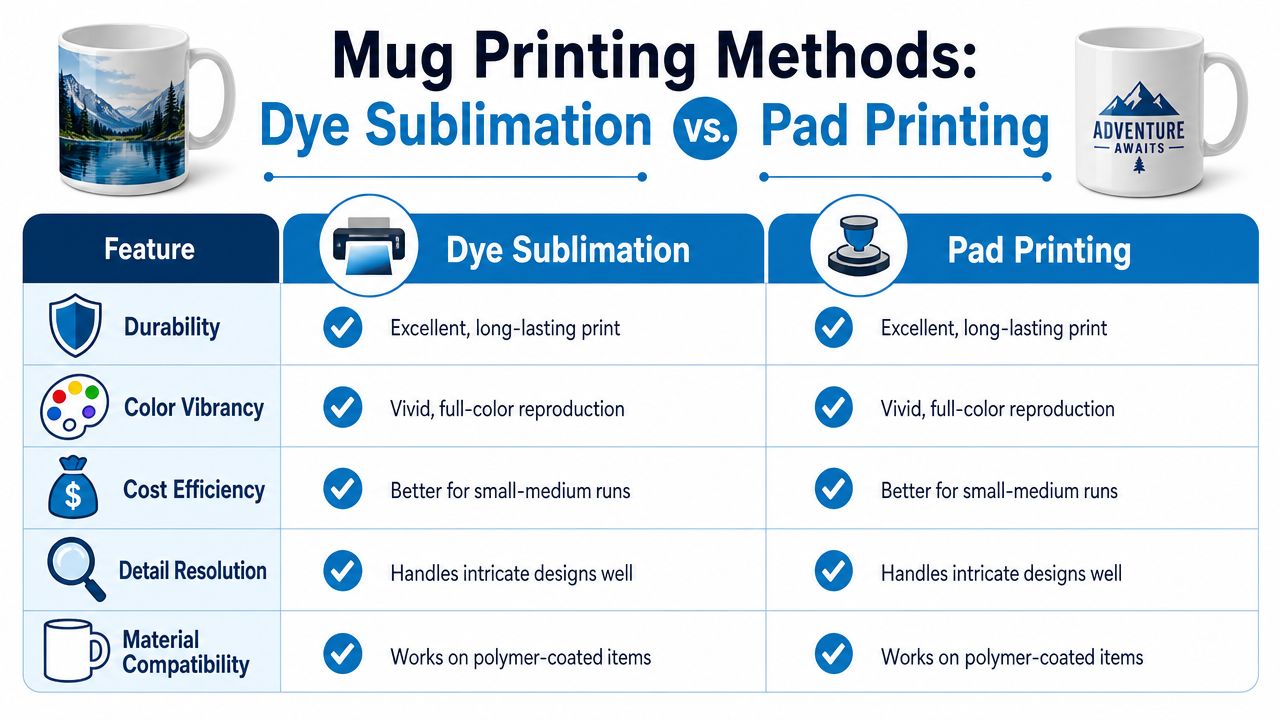
For complex artwork on mugs, dye sublimation is usually the method to ask about first. The design is printed in mirror image on transfer paper with sublimation ink, taped tightly to a coated mug, then heat and pressure are applied. A typical mug press cycle runs for about 10 to 15 minutes, and the process is favored because the artwork bonds into the coating rather than sitting on top of it, as described in this guide to mug sublimation printing.
Pad printing and other surface-level methods still have their place. They can be useful when the art is very simple, such as a one-color logo or a small mark. But if your design includes gradients, photos, detailed illustrations, or brand colors that need smooth transitions, sublimation is often the cleaner fit.
A quick comparison helps:
| Method | Best for | Watch out for |
|---|---|---|
| Sublimation | Full-color logos, photos, multi-element wraps | Requires compatible coated mugs |
| Pad printing | Simple artwork, smaller print areas | Less suited to detailed full-wrap graphics |
If you're running a merch program or testing multiple products at once, it's worth reviewing broader solutions for POD brands so your mug order fits the same artwork and fulfillment logic as your other branded items.
Pick the mug like a product manager
The mug itself changes the result more than most buyers expect. Size affects how the art scales. Base color affects contrast. Coating affects print compatibility. Handle shape changes visible viewing area.
Use these decision points early:
- Choose white for color accuracy: White ceramic gives the most predictable base for full-color artwork.
- Decide between 11 oz and 15 oz on purpose: A larger mug doesn't just hold more. It changes how your wrap art is resized and previewed.
- Match the mug to the campaign: A retail-style design may call for a full wrap. A staff mug may look better with a left-chest-style logo placement.
If you want a broader view of branded mug formats before locking the spec, this overview of branding on mugs is a useful planning reference.
Preparing a Print-Ready Artwork File
Most quality problems in printing start or disappear during file preparation. A polished design still won't print well if the file is undersized, flattened badly, or exported in the wrong format.
Start with the right canvas
For a full wrap on a standard mug, use a large working file from the beginning.
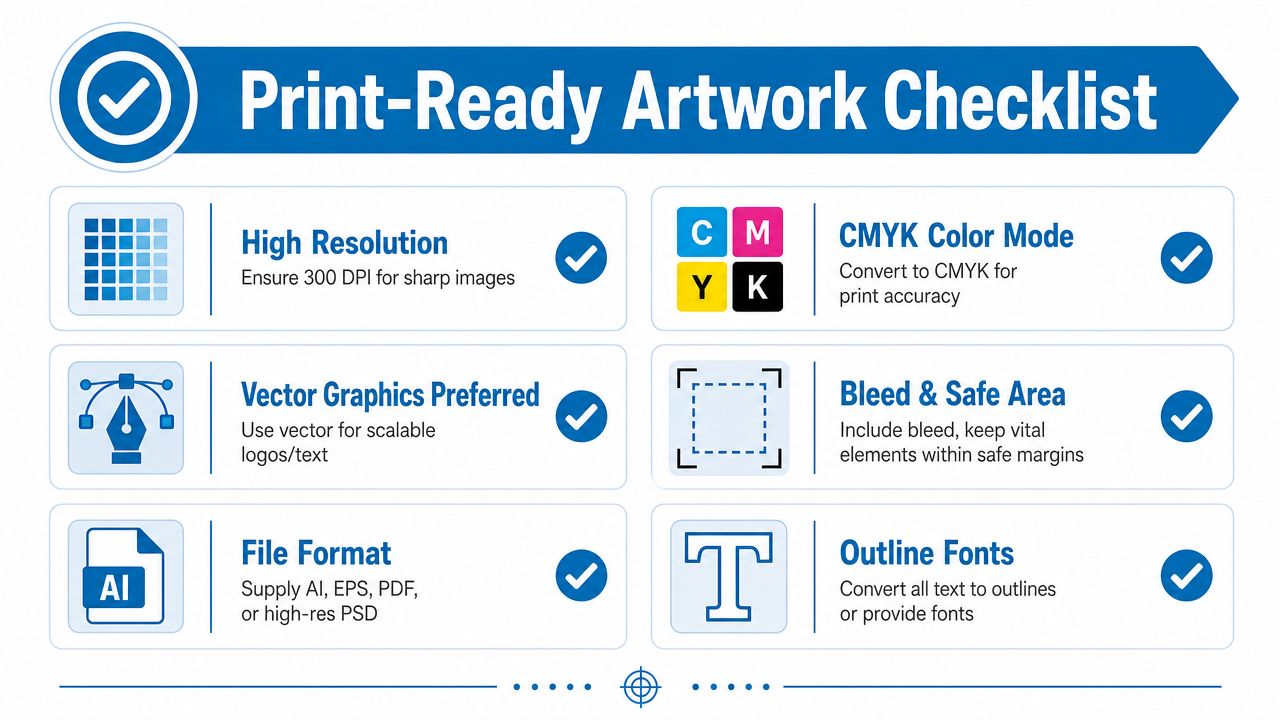
Use this benchmark: 4500 × 2100 pixels at 300 DPI is a strong starting point for wrap-around artwork on standard 11 oz and 15 oz mugs, based on Fourthwall's mug design best practices.
That size gives your artwork room to stay sharp when the printer scales it to fit the mug's printable area. If someone sends a small web graphic, enlarging it later won't restore detail. Soft logos, jagged edges, and fuzzy text usually trace back to this exact problem.
Use the full-size canvas even for a simple design. Don't build small and hope the printer can “make it work.” A clean master file saves time during proofing and makes reorders much easier.
A video walkthrough can help if you're checking file setup for the first time:
Use the color and file settings your printer expects
For sublimation mug workflows, PNG with a transparent background in RGB/sRGB is a practical export format for finished artwork. That combination helps prevent unwanted white boxes and keeps the file easy to place into mug mockups and production systems.
That point matters because many buyers hear general print advice and assume every product should be supplied the same way. Mug decoration doesn't always follow the same setup logic as offset print jobs. For artwork on mugs, the printer's production method should guide the file format.
A safe handoff checklist looks like this:
- Keep logos crisp: If your logo was built as vector artwork, preserve that master file even if you export a production PNG.
- Export with transparency: Don't flatten the design onto a white rectangle unless the white box is intentional.
- Outline or package fonts: If text is part of the art, convert it to outlines in the source file or supply the font correctly.
- Name files clearly: “Final-final-v2” creates confusion fast. Use names tied to mug size, version, and date.
If you're building files for multiple branded items and want a broader reference point, this tag page on print-ready artwork covers adjacent production topics.
Review every size variant before approval
One of the easiest mistakes is assuming the same art will look identical on every mug variant. It won't. The printable area changes, and the preview may expose cropping, softening, or awkward spacing.
Artwork that looks sharp on one mug can soften or crop on another when the print area changes.
That's why production teams keep saying the same thing. Upload the full-resolution file, inspect each mug size, and adjust per variant if the preview flags bad quality or poor fit. This is especially important when a brand mark sits near the top edge, near the handle zone, or inside a full wrap with background elements.
Designing for a Curved Surface
A mug is not a flat page. The design has to work from the front, from a slight turn, and when someone holds it by the handle. That changes how you place logos, text, and imagery.
Keep the main message in the safe viewing area
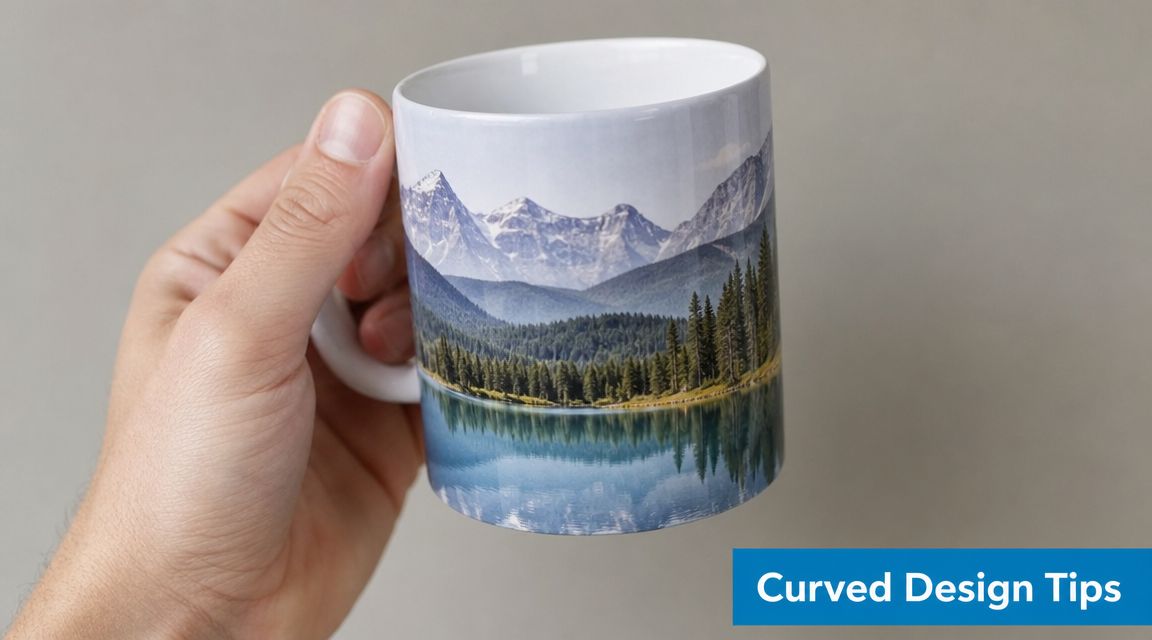
The biggest visual mistake isn't usually bad art. It's bad placement. A logo can be technically correct and still feel wrong if the handle interrupts it or if the best part of the design disappears around the back.
Treat the mug like it has a front-facing sweet spot. Place the core brand element where a person naturally sees it when the mug sits on a desk or is lifted in the hand. Secondary details can wrap farther around the sides.
Use this simple placement logic:
- Front panel first: Put the main logo, campaign phrase, or hero illustration where it reads in one glance.
- Handle awareness: Don't let the handle split a URL, phone number, or tagline.
- Breathing room matters: Tight placements near the top and bottom edge often look more cramped on the finished mug than they do on screen.
Treat mug artwork like product design, not a flat poster
Mugs have a longer history as an image carrier than many buyers realize. In the art world, objects like mugs and notebooks have been treated as art derivatives, meaning they function as commercial carriers of artistic imagery rather than mere novelty items, as discussed in this study on art derivatives and mug imagery.
That matters in a practical way. The strongest artwork on mugs doesn't just “fit.” It's composed for the object. A panoramic wrap can work because the curve supports it. A centered logo can work because the shape feels stable. A text-heavy ad often struggles because the mug isn't a good reading surface.
Keep your most important element visible from a normal desk angle, not only in the flat template.
If you need a plain-language explanation of the production process behind this, what sublimation printing is gives useful context for why edge handling, alignment, and coating compatibility affect the final result.
Navigating the Proof and Approval Process
A rushed approval can turn a simple mug order into a box of unusable inventory. For business orders, the proof is the point where marketing, purchasing, and production all need to agree on the same result before the mugs go on press.
Treat the proof like a sign-off document, not a courtesy preview. It should answer practical questions: Is the correct logo version being used? Is the art positioned the way your team expects? Will the text still read clearly at actual size? If the order ties into an event date, sales campaign, or employee onboarding kit, catching an error here saves far more than the cost of one revision round.
What to check before you approve
Review the proof at full screen first. Then zoom in and read every detail as if you were the person receiving the mug.
Use a short approval checklist:
- Brand consistency: Confirm the logo version, colors, tagline, and any campaign language match your current brand guidelines.
- Copy accuracy: Read company names, URLs, phone numbers, disclaimers, and small text character by character.
- Art size and position: Check how far the design sits from the handle, rim, and lower edge. Small shifts can change how balanced the mug looks in hand.
- Viewing direction: Confirm whether the artwork is set for right-hand use, left-hand use, or a centered presentation.
- Mockup assumptions: Make sure the proof reflects the actual mug style and imprint area you approved, not a generic template.
One missed detail can affect an entire case pack.
How to request revisions clearly
Clear feedback gets faster, cleaner proofs. Vague notes usually create another round of interpretation, which adds time and increases the chance of approval mistakes.
Write revision requests so a production artist can act on them without guessing. Good examples include: “Shift the logo 0.25 inch away from the handle,” “Increase the tagline for better readability,” or “Use the stacked logo version to match the rest of this campaign.” If several people on your team need to weigh in, combine comments into one marked-up response before sending them over. That keeps version control tight and helps prevent conflicting instructions.
For larger promotional orders, ask who gives final approval on your side before the proof arrives. I recommend one decision-maker, one consolidated response, and one final sign-off. That simple workflow prevents the common B2B problem where sales, HR, and marketing all approve different versions of the same mug.
Common Artwork Pitfalls and How to Fix Them
Most mug problems are predictable. That's good news, because predictable problems are easy to avoid once you know what to look for.
Low-resolution files
The problem is usually a file pulled from a website, email signature, or social profile. It looks acceptable on screen because screens are forgiving. It falls apart in production because the file never had enough real image data.
Fix it by going back to the source. Ask for the original logo file, a proper export from the designer, or a rebuilt version. Don't rely on screenshots.
A small file can be enlarged. It cannot be improved.
Designs that ignore real-world use
Some artwork looks nice in a mockup but doesn't survive daily use expectations. Buyers then need to differentiate decorative methods from functional ones. A sublimated design can be microwave and dishwasher safe, while a surface-level print or hand-painted design might not be, as noted in this discussion of mug artwork and practical use.
That distinction matters for promotional orders. If the mug is meant for employee desks, customer gifts, or hospitality use, ask about durability before you approve the art style. A delicate finish may be fine for display merchandise. It may be the wrong fit for everyday office coffee.
Placement mistakes around the handle
This shows up constantly in first-time orders. Someone centers the art mathematically across the template, but the mug doesn't feel centered once the handle is added.
The fix is to judge the art from the user's point of view, not from the file's midpoint. A front-facing logo should feel centered in relation to how the mug is held and displayed. On wrap designs, avoid putting a face, word, or icon seam where the handle interrupts the visual flow.
Proofs approved too quickly
Teams under deadline often scan the proof, see the right logo, and approve it in seconds. Then they notice the typo, low contrast, or awkward scaling after production starts.
Build one internal pause into the workflow. Have a second person review the proof. Marketing should check branding. Operations should check dates or event names. If the mug supports a campaign, compare it against the rest of the branded materials so the look stays consistent.
Frequently Asked Questions About Mug Artwork
Can I use a logo pulled from my website?
Usually not as-is. Website graphics are often too small for production. Ask for the original logo file or a high-resolution export.
Is a transparent background important?
Yes, if you don't want a white box printing behind the design. For many sublimation workflows, a transparent PNG is the safer handoff.
Should text wrap all the way around the mug?
Short text can. Long text usually becomes harder to read on a curved surface. Keep the primary message in the most visible area.
Can one artwork file work for every mug size?
Sometimes, but don't assume it will. Review each size preview because scaling can change sharpness and placement.
Are photo mugs a good fit for business branding?
They can be, especially for commemorative gifts, tourism, hospitality, or campaign merchandise. The file quality and composition have to be strong enough for close viewing.
Do I need a full wrap design?
No. Many business mugs look better with a clean front placement and more negative space. Full wraps work best when the artwork was designed for that format from the start.
If you're planning a branded mug order alongside apparel or other promotional products, Dirt Cheap Product, Inc. is one option for coordinating artwork, proofs, and decoration across a broader brand program. A clean file and a careful proof review will do most of the heavy lifting, and the right production partner can make that process much easier.