You've got a design that looks clean on your screen. The logo is centered, the colors feel right, and the mockup looks finished. Then the practical questions start. Will the text bend strangely once it wraps around the mug? Will the handle cut through the layout? Will the printed color still feel on-brand when it lands on ceramic instead of a backlit monitor?
That uncertainty is normal. Artwork on mugs sits in an awkward space between graphic design and production. The file may be finished from a creative point of view, but it often isn't ready for a printer yet. The handoff matters. So do the proof, the printable area, and the decoration method.
A mug seems simple because it's familiar. In production, it isn't flat, forgiving, or easy to fake. Small mistakes show up fast. The good news is that most of them are preventable if you prepare the file the way a printer needs it, not just the way a designer likes to see it.
Table of Contents
- From Screen to Ceramic An Introduction
- Choosing Your Mug Printing Method
- Preparing Your Digital Art File Correctly
- Mastering Mug Layout and Safe Zones
- Common Artwork Pitfalls and How to Fix Them
- The Final Steps Proofing and Ordering
From Screen to Ceramic An Introduction
A first mug order usually starts the same way. A client sends over a logo, maybe a slogan, maybe a wraparound illustration, and says it should be straightforward. Then the proof comes back and the concerns begin. The mark feels too close to the handle. The headline looks wider than expected. A detail that was crisp on screen suddenly feels cramped on the curved body.
That's the moment where production thinking has to take over.
The modern mug is a very workable print surface because it's standardized. A typical mug holds about 250 to 350 ml, or 8 to 12 US fl oz, which gives printers a repeatable area to decorate, and the mug itself has a long history stretching back to 10,000 BCE according to the mug history and standard size overview on Wikipedia. That consistency is one reason mugs remain such a common branded product.
For clients who are comparing drinkware options, it also helps to understand where mugs sit next to items like custom branded coffee cups. Paper cups work for short-term service and events. Ceramic mugs are different. They're handled repeatedly, viewed from multiple angles, and expected to keep looking intentional long after the first use.
A mug doesn't present artwork in one flat glance. People rotate it, lift it, wash it, and set it down handle-first. Your design has to survive all of that.
Good artwork on mugs isn't only about making the graphic attractive. It's about preparing it so the printer can place it accurately and reproduce it cleanly on a curved surface. That means deciding how the art will be printed, building the file around the mug template, protecting key elements with safe zones, and reviewing the proof like a production check instead of a casual preview.
If you get those parts right, the finished mug can look every bit as polished in hand as it did on screen.
Choosing Your Mug Printing Method
The printing method drives almost every decision that comes after it. Clients often treat this as a production detail the printer will sort out later. In practice, it affects color handling, image detail, file prep, and how ambitious your layout should be.
Sublimation for full-color artwork
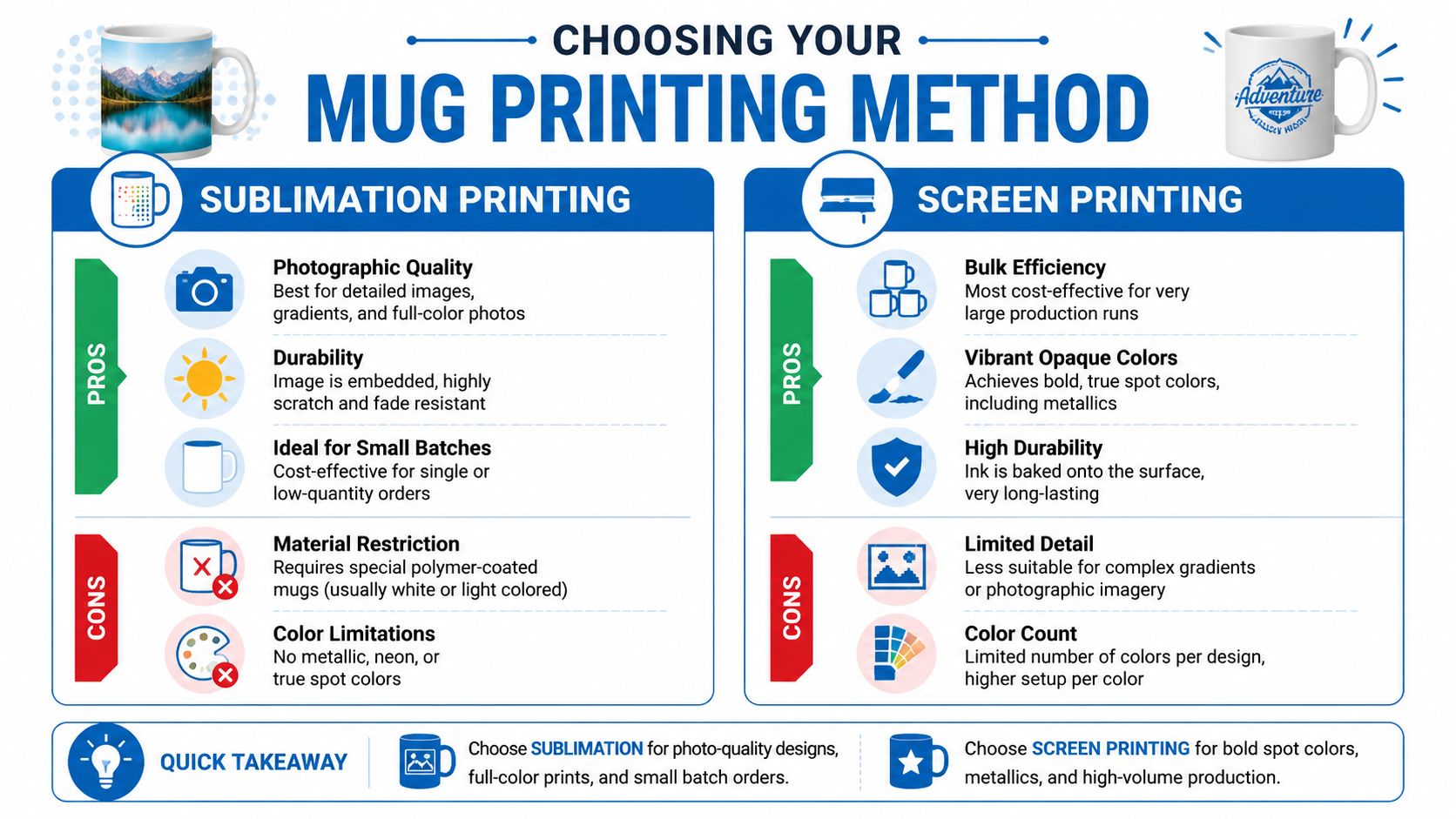
If your design includes gradients, photos, painterly detail, or a full wrap scene, dye sublimation is usually the first method to consider. It's widely used for photo-quality mug decoration, and the file prep matters. Merchize notes that the process relies on 300 DPI source files, mirrored artwork before transfer, and securely taped transfers so pressure stays even during pressing in its guide to printing on mugs with sublimation.
That workflow tells you something important. Sublimation rewards clean preparation and punishes casual setup. If the file is soft, the transfer is misaligned, or the press conditions are inconsistent, the final mug shows it.
Sublimation usually works well when you need:
- Photographic detail: Scenic views, portraits, gradients, and multi-color art reproduce more naturally.
- Wraparound coverage: Large continuous designs are easier to handle than with simpler spot-color methods.
- A smooth visual finish: The decoration feels integrated rather than sitting like a separate label on the mug.
Screen, pad, or transfer printing for simpler branding
If the artwork is a basic logo, a short phrase, or a small set of solid colors, simpler printing methods can be a better production fit. They tend to suit cleaner brand marks and less complex graphics. They also force discipline. Tiny details, soft fades, and overly delicate linework often don't belong here.
A lot of buyers confuse “more colors” with “better result.” That's not always true. A restrained logo placed correctly on a mug often looks more premium than a crowded full-wrap design.
For teams exploring options for branding on mugs, the practical decision usually comes down to this comparison:
| Method | Best fit | Watch out for |
|---|---|---|
| Sublimation | Full-color artwork, gradients, photo-style images | Requires careful file prep and the right coated mug |
| Screen or transfer printing | Logos, spot-color graphics, bold simple layouts | Limited detail and less forgiving with complex imagery |
Production rule: Don't choose the print method after the design is finished. Choose it before final file setup, or you'll end up redesigning for the press instead of designing for the product.
The best results come from matching the artwork style to the decoration method early. That saves revisions, shortens approval time, and gives the printer a file that behaves the way the process expects.
Preparing Your Digital Art File Correctly
Most mug problems begin in the file, not on the press. If the artwork arrives in the wrong dimensions, at weak resolution, or without production-friendly text handling, the printer either has to stop and request fixes or push forward with a file that's likely to disappoint.
Start with the mug, not the artboard
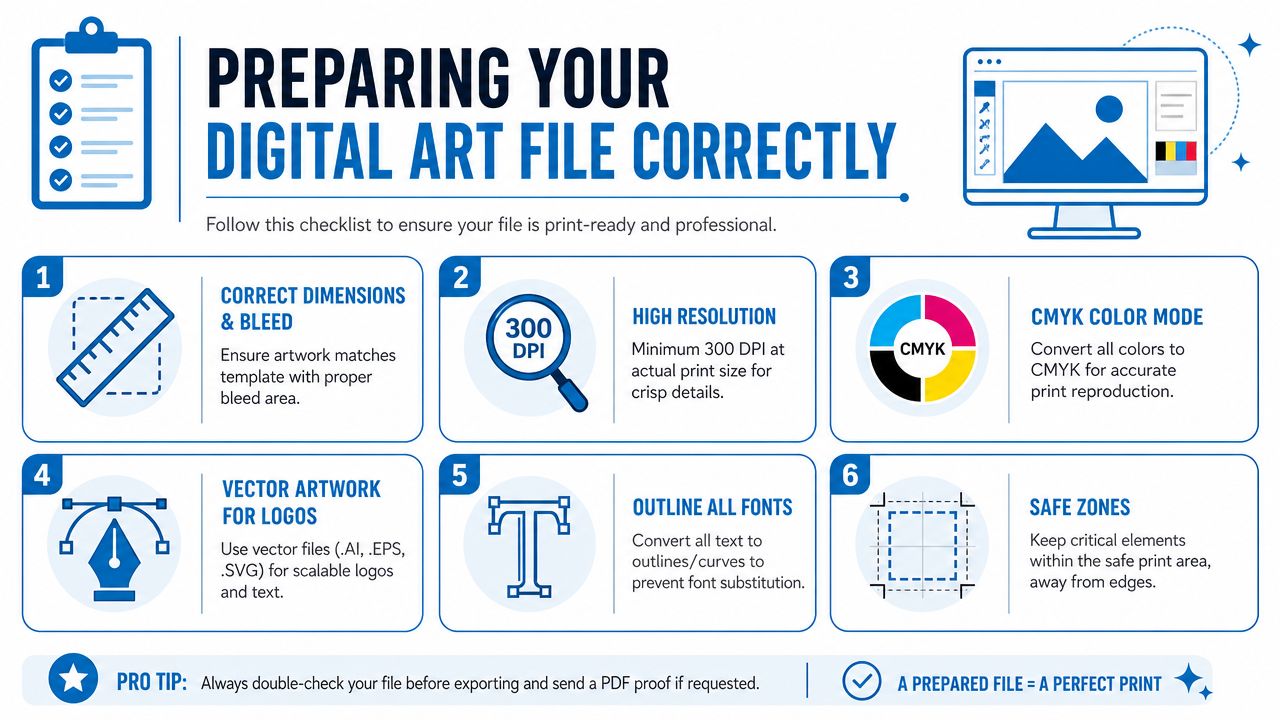
An experienced workflow starts by choosing the mug style first, because the mug defines the printable area, curvature, and the distortion risk near the handle and edges. Vistaprint recommends building the design in a flat template, using high-resolution assets at about 300 ppi at print size, and keeping important elements away from the handle seam and the curved top and bottom edges in its custom mug design workflow guide.
That order matters. Designers often begin with a square social graphic or a horizontal logo lockup, then try to force it onto the mug later. That's backward. A mug template is your blueprint.
Before you place a single element, confirm:
- Mug style: Straight wall, tapered profile, inner-rim print option, and handle orientation all affect placement.
- Printable zone: Use the printer's template, not a guessed rectangle.
- View priority: Decide whether the design needs to face front, wrap fully, or present differently to right-handed and left-handed users.
Build a file a printer can actually use
Once the template is set, focus on the file itself. This is the handoff stage where avoidable errors should disappear.
Use this checklist before upload:
- Set artwork at final print size: Don't send a tiny file and expect the printer to enlarge it cleanly.
- Keep raster art sharp: Images should be built at 300 ppi at the size they'll print.
- Use vector for logos and text when possible: AI, EPS, or SVG artwork stays crisp and is easier to adjust.
- Outline fonts: If the printer doesn't have your typeface, the software may substitute it.
- Handle transparency carefully: Transparent backgrounds are fine when exported correctly, but stray shadows or effects can create surprises.
- Organize layers if you're sending an editable file: A messy file slows approvals.
For teams that manage ecommerce assets too, the same discipline behind optimal product image dimensions helps here. Build for the actual output size, not an assumed screen size, and check clarity in context rather than trusting a zoomed-in monitor view.
Check your mockup against real output
A mockup is useful, but it can also hide problems. A flat PDF or polished rendering won't always show how the handle interrupts the design or how a line of text feels when viewed on a curve.
If you're using sublimation, review the production expectations early. A straightforward reference on what sublimation printing is helps non-design stakeholders understand why the printer asks for mirrored art, high-resolution files, and exact placement.
Send the printer one file for production and one simple visual reference that shows intended orientation. That removes guesswork without replacing the template.
When the digital file is built around the actual mug, not just the artwork, approvals move faster and the final product looks intentional instead of merely acceptable.
Mastering Mug Layout and Safe Zones
A strong mug design respects the object's shape. That sounds obvious, but many files still treat the mug like a mini poster. The result is familiar. A logo slips too close to the handle, a line of type curves into awkward perspective, or a wrap image loses its focal point because the viewer never sees the whole composition at once.

Think like a wrapper, not a poster designer
The core layout problem is readability across a cylinder. A mug changes how art appears as the viewer moves around it. The handle interrupts the wrap. The rim can hide art placed too high. Edge areas can make text or logos feel distorted. That challenge is described clearly in a video discussion of mug perspective, wrap alignment, and curved-surface readability.
That's why the first design question shouldn't be “Does this look balanced on the template?” It should be “What does the user see first when they pick up the mug?”
Different layouts solve different problems:
| Layout style | Works well when | Risk |
|---|---|---|
| Two-sided print | You want a logo on one side and a message on the other | Alignment has to be intentional across both faces |
| Centered front print | The mug is meant to be photographed or handed out with one hero view | Side views may feel empty |
| Full wrap | Artwork tells a visual story across the whole mug | Key elements can drift into the handle zone |
Safe zones that protect the design
Safe zones are the quiet areas that keep important content out of trouble. They aren't decorative. They're insurance.
Use them to protect:
- Text: Keep copy away from the far left and right extremes of the print area where wrapping distortion becomes more noticeable.
- Logos: Don't let the brand mark sit too near the handle seam unless that placement is deliberate.
- Fine details: Thin lines and tiny icons are the first things to feel cramped when placed near curvature changes.
- Top and bottom positioning: Art that rides too high can hide under the lip. Art too low can feel visually sunk.
Shop-floor advice: If a line of text is only readable in the flat file, it isn't placed correctly yet.
There's also a difference between what's technically printable and what's visually comfortable. A printer may be able to place art very close to the edge of the printable zone, but that doesn't mean it will look refined. Leave breathing room.
For proof approval, I usually tell clients to inspect three views mentally: front view, three-quarter view, and the grip view near the handle. If the design works in all three, the layout is usually solid.
Common Artwork Pitfalls and How to Fix Them
A mug file can look polished on screen and still fail at the printer. The handoff is usually where things go wrong. A web logo gets dropped into a print layout, live effects are left unflattened, or a proof gets approved before anyone checks how the art will reproduce on a curved surface.
When a good design prints badly
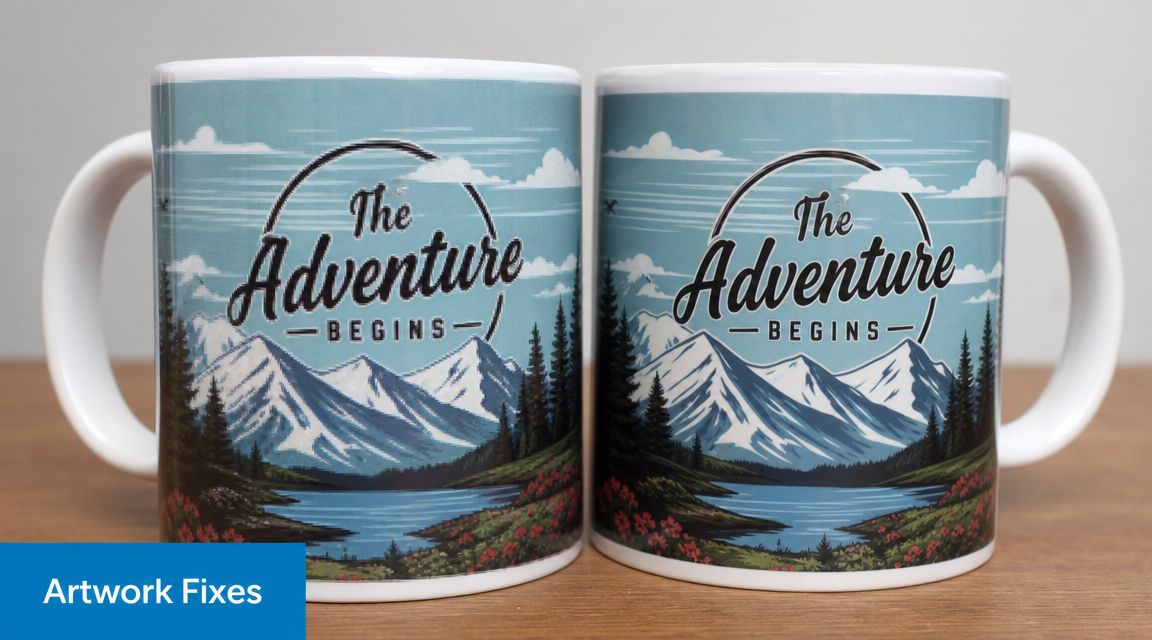
Blurry output nearly always starts with the wrong source file. If the logo came from a website, social post, or screenshot, it was probably built for pixels, not print. Production cannot add detail that is not in the file. The fix is simple but sometimes inconvenient. Replace the asset with vector artwork, or rebuild the image at the final print size with adequate resolution before it ever reaches prepress.
Small text causes the next round of trouble. On a monitor, you read it close up with light coming through the screen. On a mug, the viewer sees it at arm's length on a curved, reflective object. If a line matters, give it room to read. Increase the size, use a heavier weight, or cut the wording.
The production fixes I request most often are:
- Blurry artwork: Swap in vector files or high-resolution source art built for print.
- Handle-side crowding: Reposition the design to the actual print template, not a rough mockup of the mug body.
- Overloaded wrap designs: Remove supporting graphics so the main message still reads clearly once wrapped.
- Live effects that shift in output: Flatten shadows, transparencies, gradients, and glows before approval, or ask for a hard proof check.
I also watch for files that are technically printable but risky in production. Thin outlines, pale colors, distressed textures, and layered transparency effects can all behave differently once they go through a printer's workflow. If the artwork depends on subtle detail, ask the printer what their process tends to soften, shift, or simplify. That single conversation prevents a lot of avoidable rework.
If the design only looks good in the mockup, it is not ready for production.
When the design is right but the product use is wrong
Good mug artwork also has to match how the mug will be used. Public product discussion around mugs highlights a tradeoff between decorative appeal and everyday practicality, as noted in this discussion of decorative appeal versus practical use in mugs.
That trade-off matters at approval stage. A gift mug for a short campaign can carry more visual detail because it may be used less aggressively. An office mug that gets washed, stacked, microwaved, and handled every day needs clearer hierarchy, sturdier line work, and fewer fragile details.
This is also where printer support matters. A careful supplier will flag file setup issues, explain what their process can and cannot hold, and tell you when the proof looks acceptable on screen but risky in production. For teams planning mug orders alongside broader merch runs, this bulk buying guide for custom promotional products is useful for thinking through approval timing, quantities, and how to avoid repeating the same artwork mistakes across multiple items.
The Final Steps Proofing and Ordering
The proof is your last clean chance to catch a mistake while it's still cheap and easy to fix. Once production starts, you're no longer evaluating a design. You're authorizing an output.
Review the proof slowly. Check spelling, orientation, logo size, handle relationship, and whether the art sits too high or too low. If the mug has a left-hand and right-hand viewing implication, confirm that the “hero side” matches how the mug will be used.
For larger orders, it's smart to ask whether a preproduction sample makes sense. That matters most when the artwork is wrap-heavy, color-sensitive, or tied to an event date. If the order is part of a broader merch plan, this bulk buying guide for custom promotional products is a useful reference for thinking through quantities, lead times, and approval timing.
A good final approval checklist is short:
- Is the artwork placed where people will see it?
- Are the important details protected from the handle and edges?
- Does the proof match the intended mug style?
- Have all file and text issues been corrected, not just noted?
Clear files and careful proofing usually lead to clean production. That's what you want. No surprises, no preventable reprints, and no box of mugs that looked better on a monitor than they do in real life.
If you're ready to turn approved artwork into finished branded drinkware or other promotional items, Dirt Cheap Product, Inc. can help with file review, proofing, and production support so your order moves from concept to print with fewer surprises.